PDV workflow integration
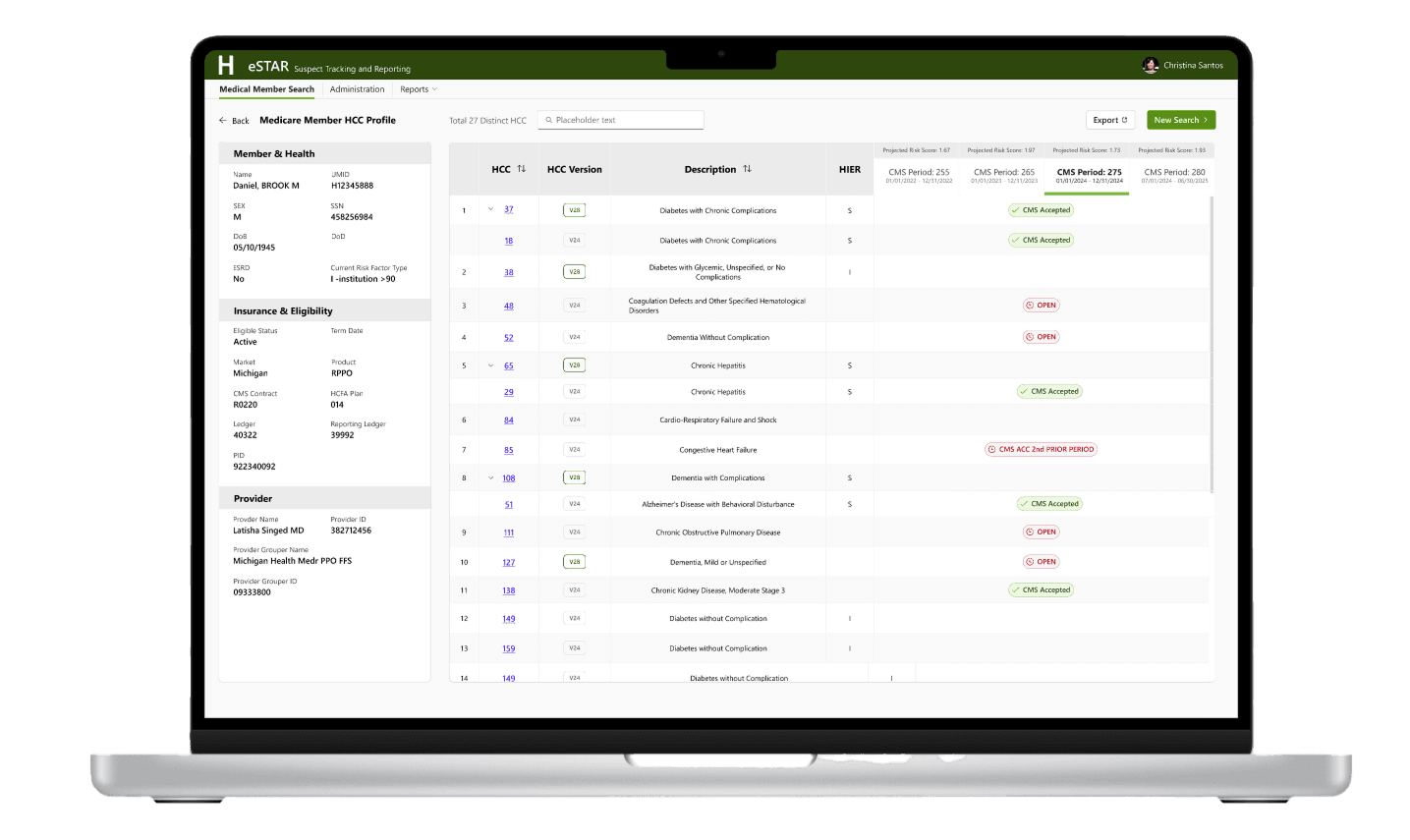
Provider data validation is a workflow to ensure coding accuracy. It consists of coding review and provider education based on the coding accuracy score

Note: All patient, provider, and corporate information has been modified to protect the privacy and confidentiality of the individuals and organizations involved.
Background
Certified Medical Coders on the PDV team are responsible for validating that data submitted to CMS is accurately supported by documentation in the patient’s medical record—verified by specific patient, provider, and date of service.
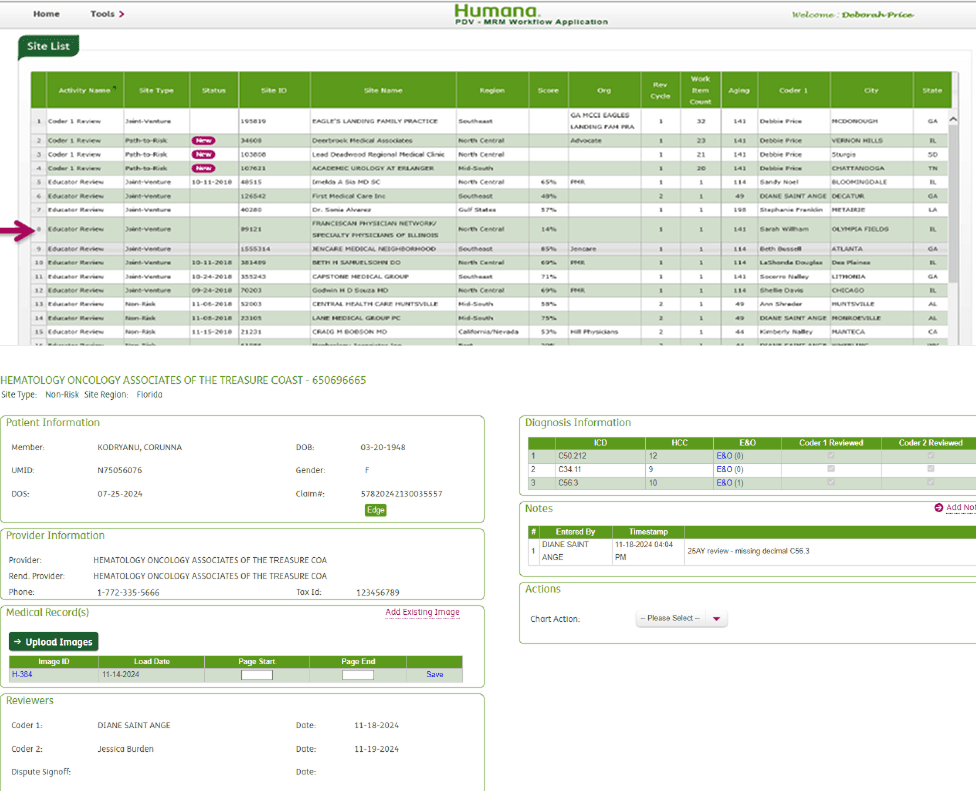
The existing PDV application, originally developed by the Humana Medical Records Management team, supports this review process. However, with the current platform’s contractual support ending in 2026, a long-term solution was needed.
Duration
Ongoing (February 2025 – Present)
My Role
As the sole product designer, I led:
Initial estimation of design and engineering efforts by breaking it into bite-sized, actionale components
Analyzing the end-to-end PDV workflow and redesigning them to improve usability and efficiency
Ensuring the new experience fit within Record Insights
The Team
1 x Designer, 1 x Product Owner, 12 x Software Engineers, Business partners
Key Achievements
Enabled team scaling
Kicked off research using the Object-Oriented UX framework
Established new cross-functional principles
Outcomes
Improved coding review accuracy
Simplified coding and dispute processes
Increased Scalability
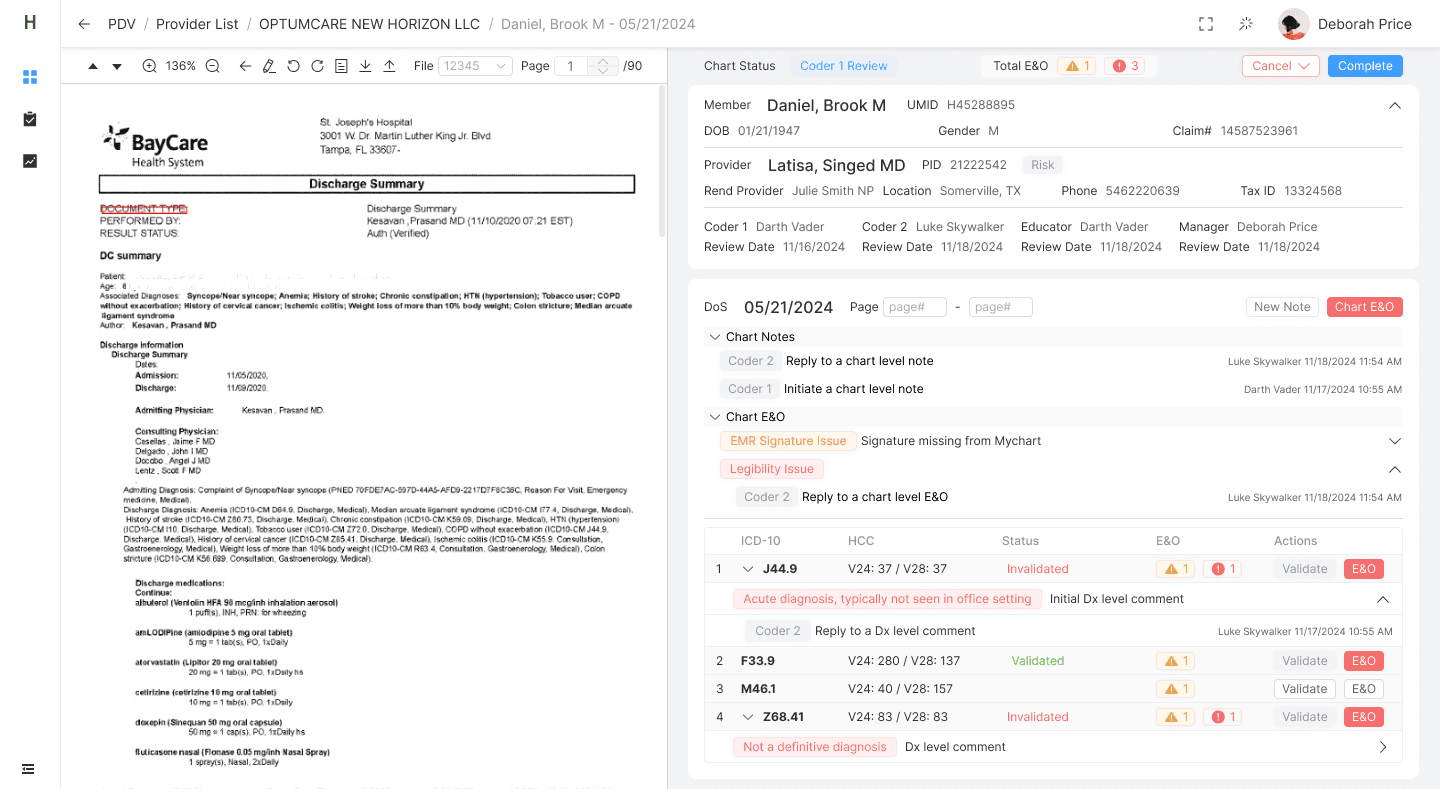
1 / Smart Coding Review Interface
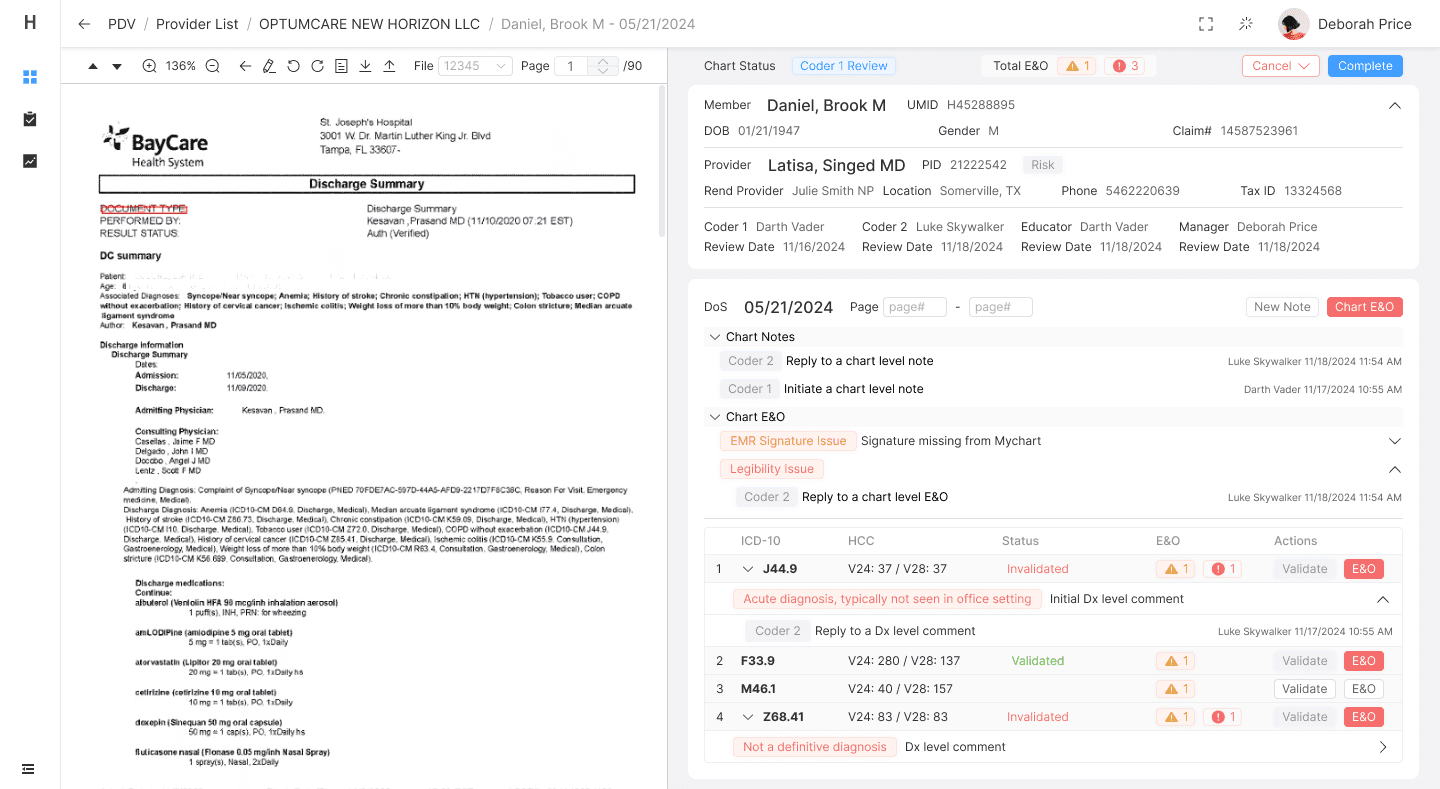
OCR-powered interaction allows users to highlight relevant information directly in scanned medical records and translate it into structured, digital format—reducing manual entry and improving accuracy.
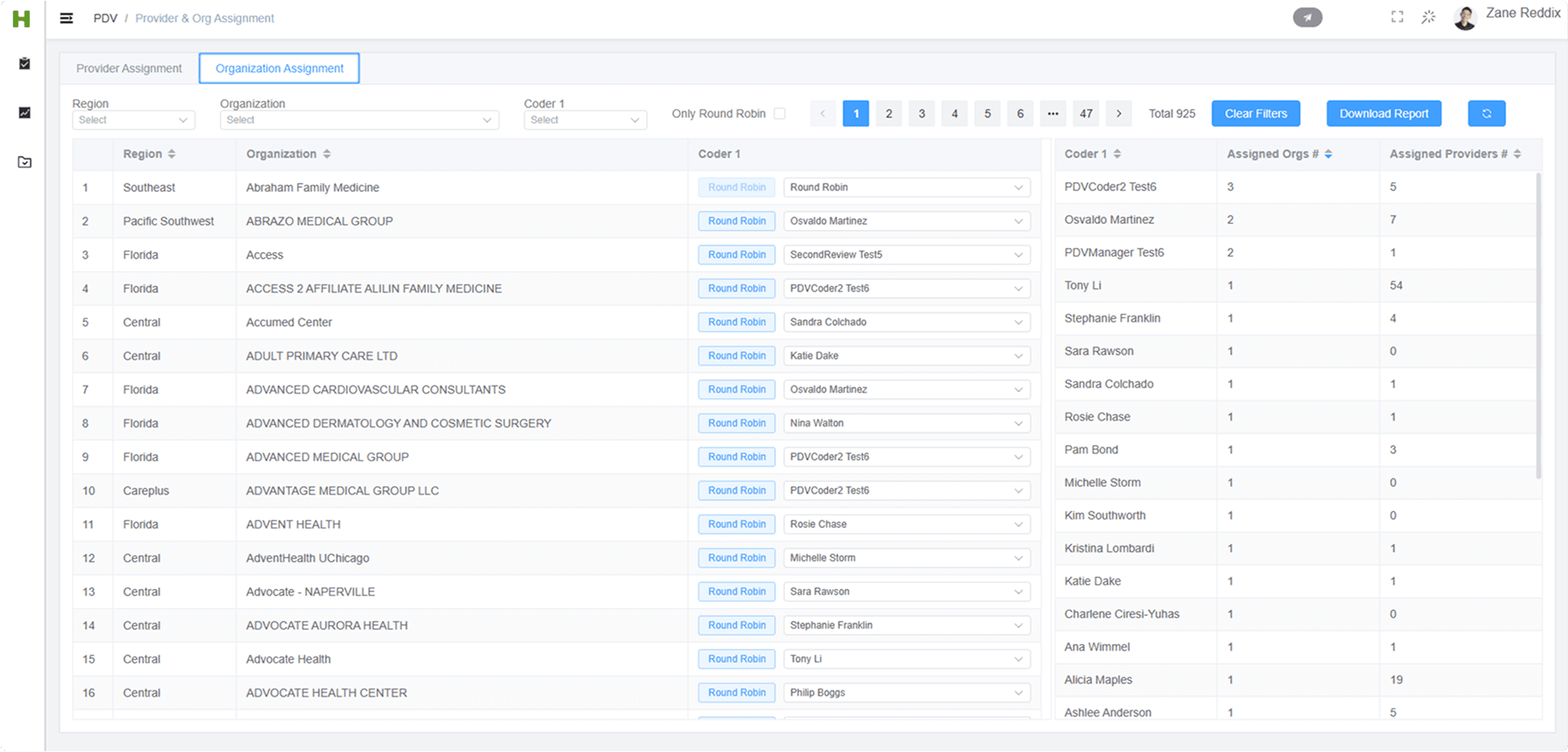
2 / In-App Provider Assignment & User Management
PDV managers can now assign providers or organizations to specific coders within the app—eliminating external spreadsheets and improving team coordination.
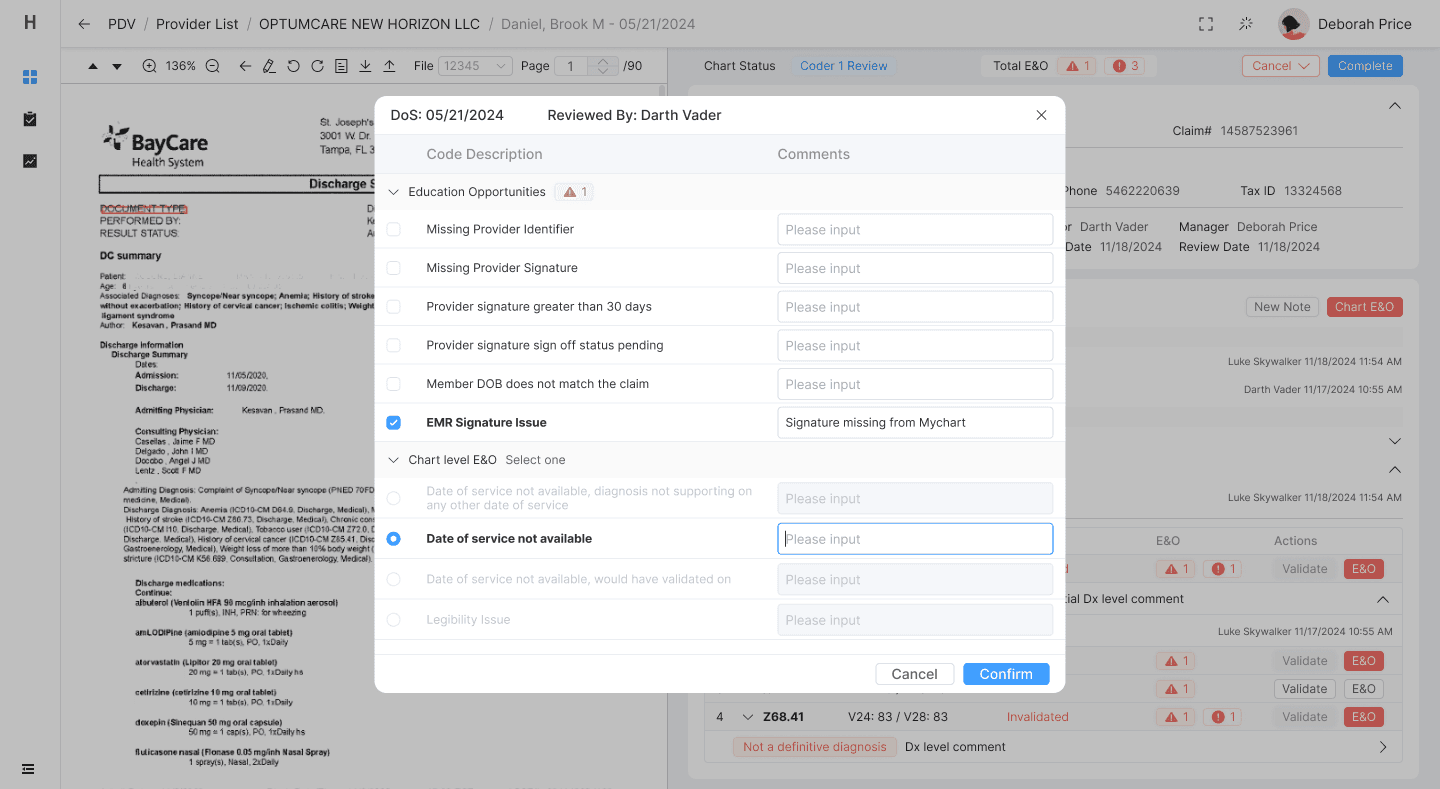
3 / Streamlined Review + Evaluation Workflow
The redesigned interface consolidates key tasks into a single, guided flow—minimizing screen-switching and allowing users to stay focused on coding.
Discovery interviews
The initial discovery phase consisted of four one-hour sessions with PDV coders and their team leads. These conversations helped us deeply understand their existing workflow, pain points, and unmet needs—laying the groundwork for a user-centered redesign grounded in real-world requirements.
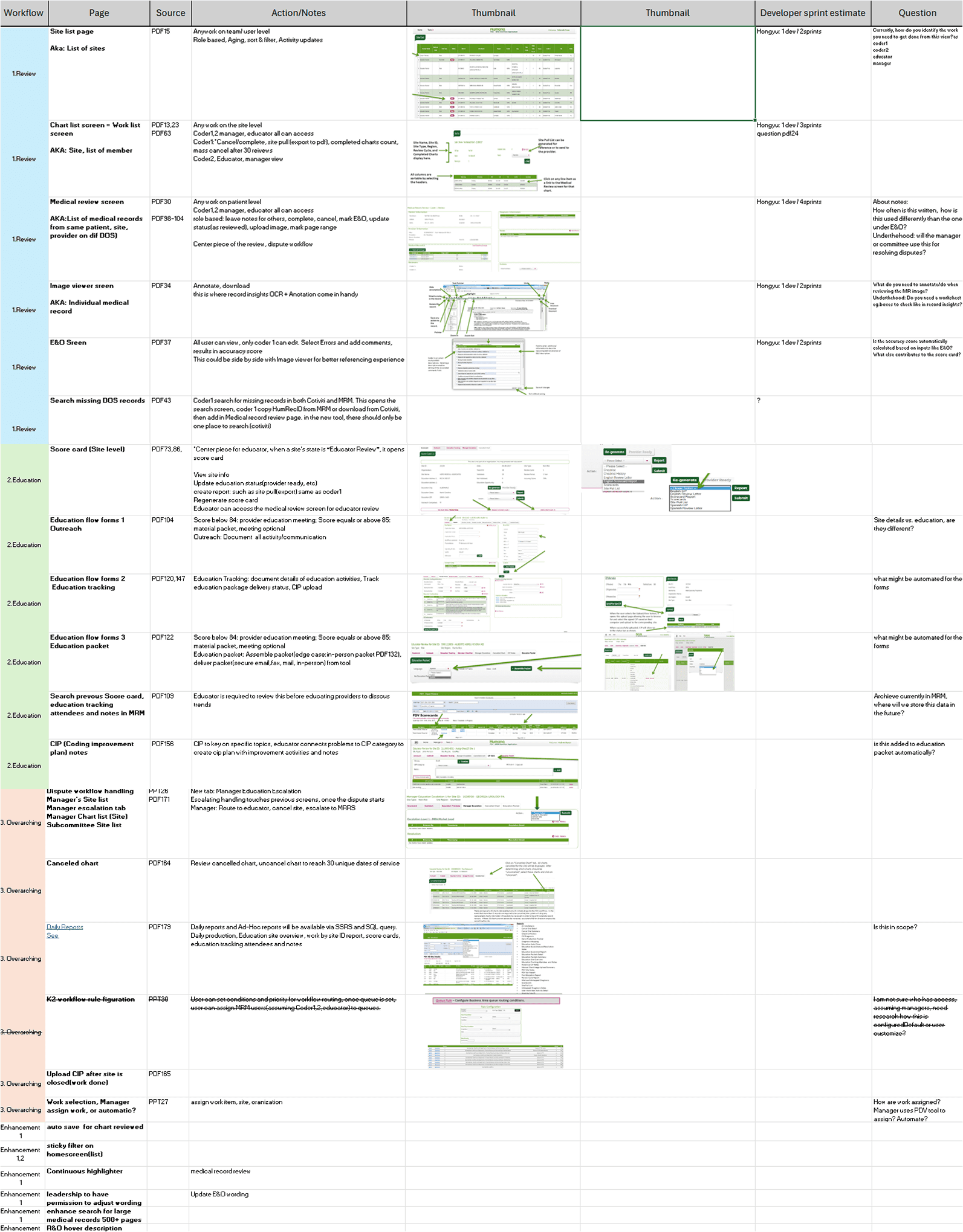
Evaluation and scoping
To support early planning, I created a detailed evaluation document that broke the entire workflow into bite-sized pieces, organized into a spreadsheet by page and functionality. For each screen, I identified key objects, calls-to-action, and potential interaction patterns. This effort not only clarified design scope, but also enabled the engineering team to accurately assess development complexity—ultimately informing the hiring of four additional engineers (two frontend, two backend) to meet project demands.
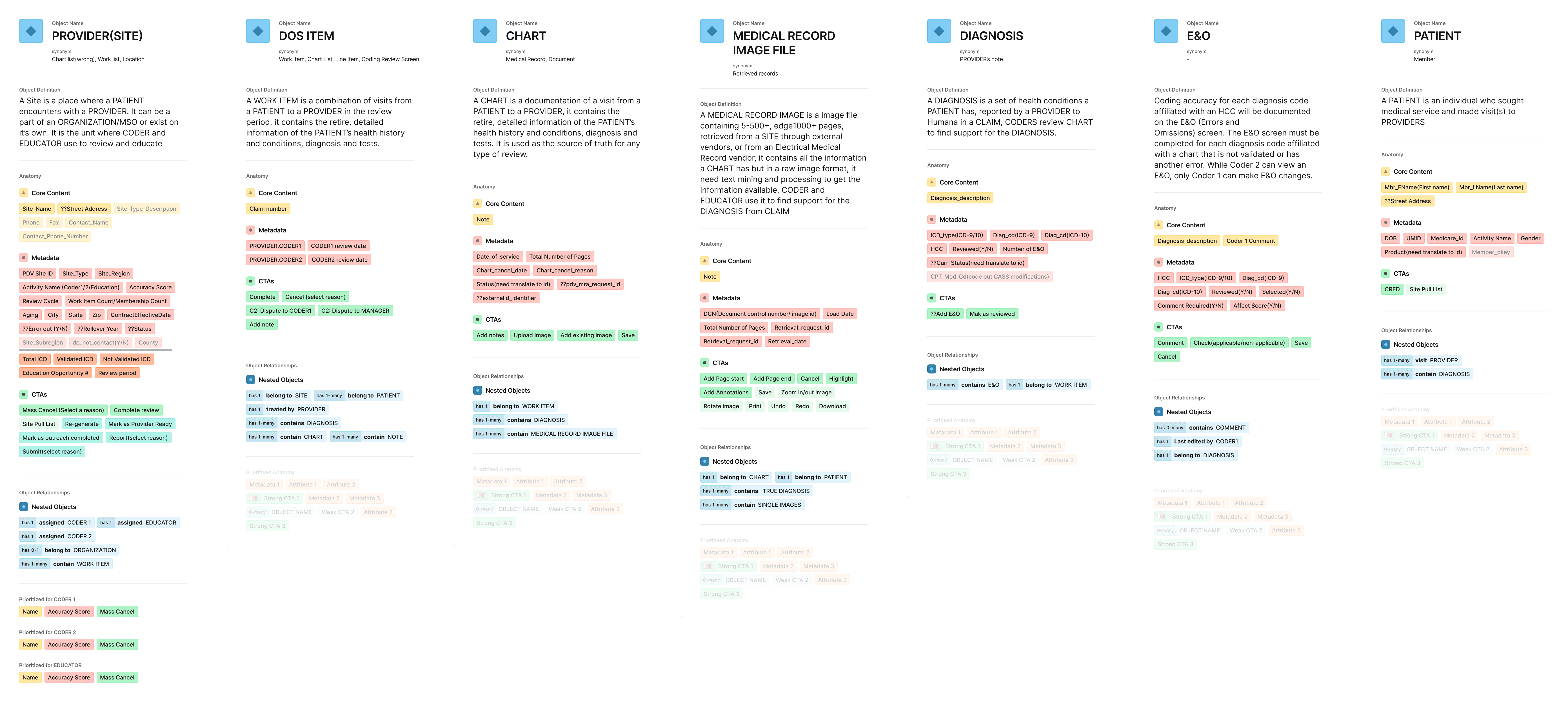
Object mapping
I initiated the engagement using the Object-Oriented UX (OOUX) framework, which allowed me to synthesize insights from early evaluations, training materials, the development contract, and user interviews into a cohesive foundation for the design.
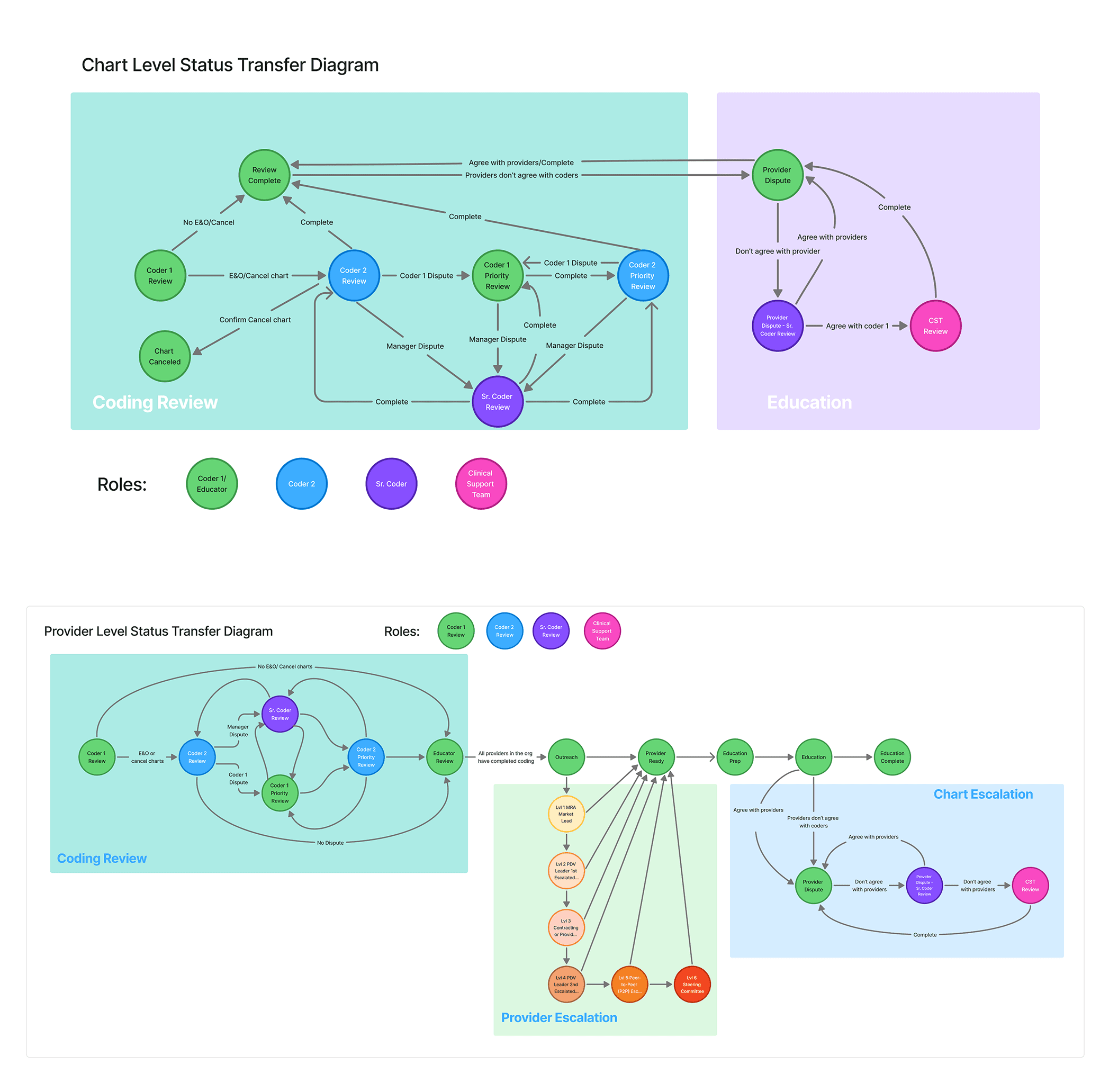
Modeling Status Transfers and System Behavior
Based on the object map, I collaborated with development leads to define how objects transitioned across different stages—particularly around disputes, overrides, and status changes. Together, we created system diagrams to visualize and align on these complex workflows, ensuring clarity in both UX logic and backend behavior.
Wireframing
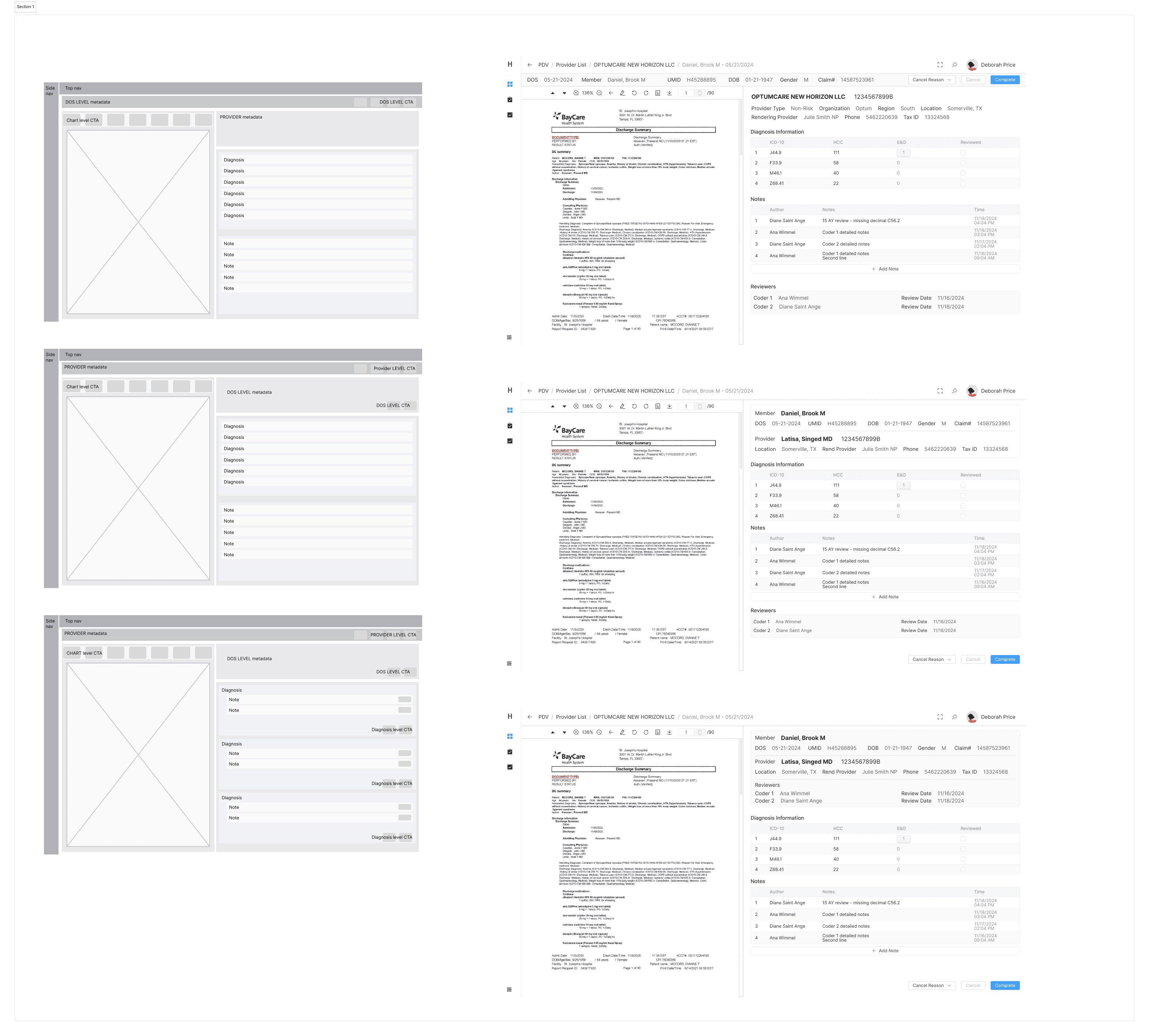
I created low-fidelity wireframes to rapidly test how nested relationships between objects—such as patients, providers, and coding tasks—would function in the interface, helping uncover structural gaps early in the design process.
Behind the Scene
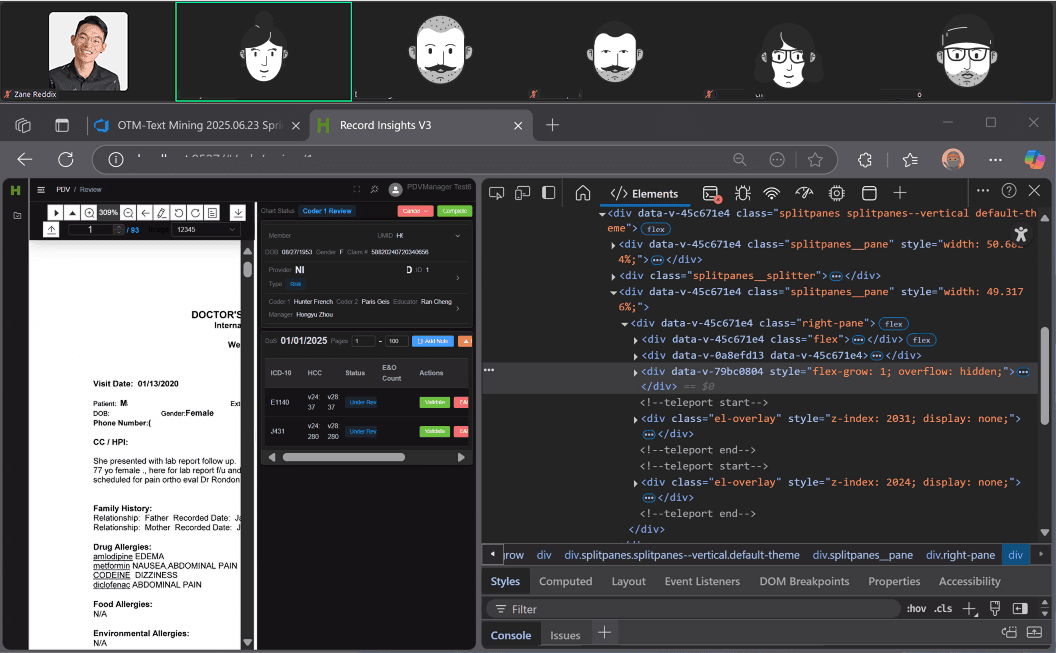
Meeting with dev team to review front end code for the chart review design
Collaborative, Iterative Design Process
Throughout the project, we maintained a twice-weekly cadence of standups and regular design reviews, ensuring close alignment with the development team. In parallel, I led weekly customer sessions with PDV users, working directly with them to co-design and continuously refine the workflow based on real feedback and evolving needs.
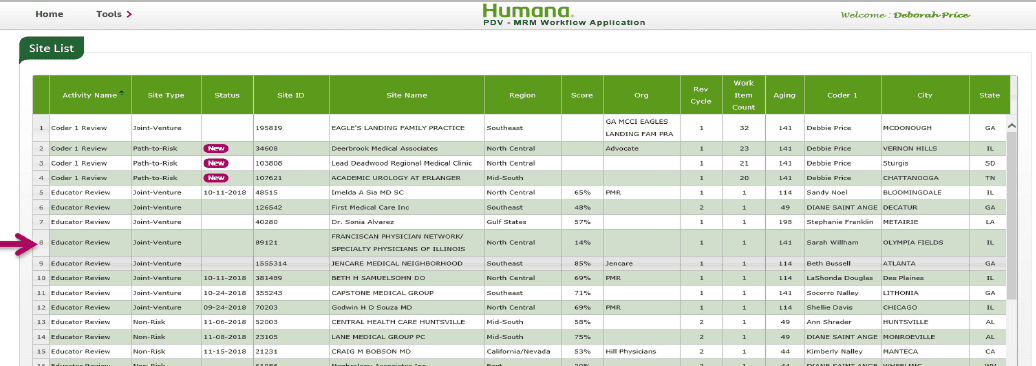
Before
Provider list
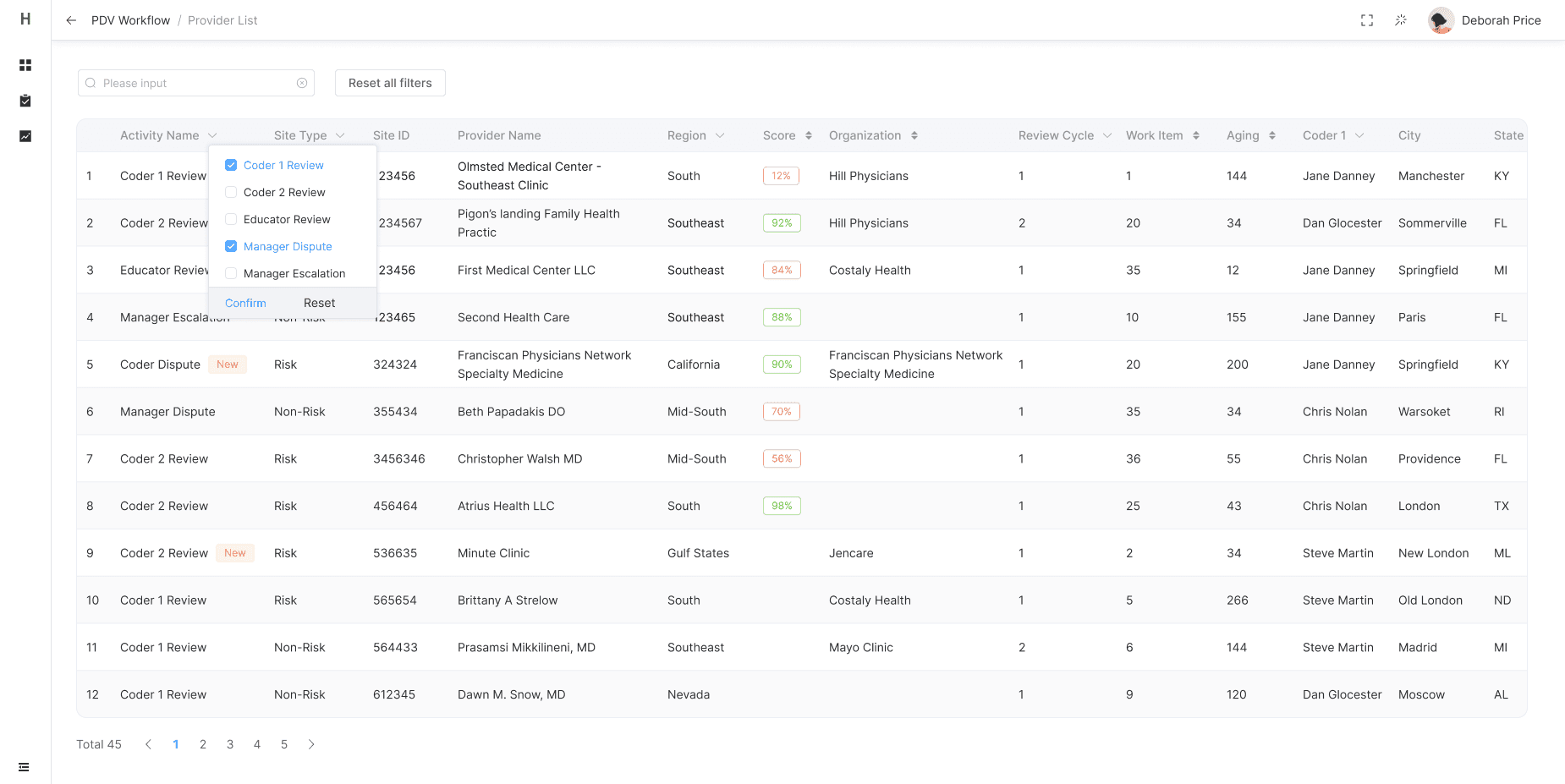
After
Provider List
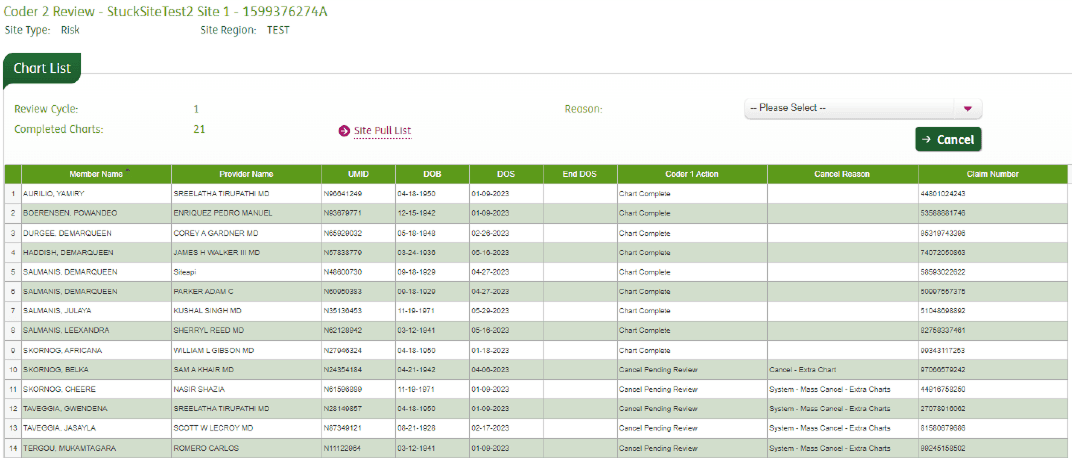
Before
Provider / Work item list
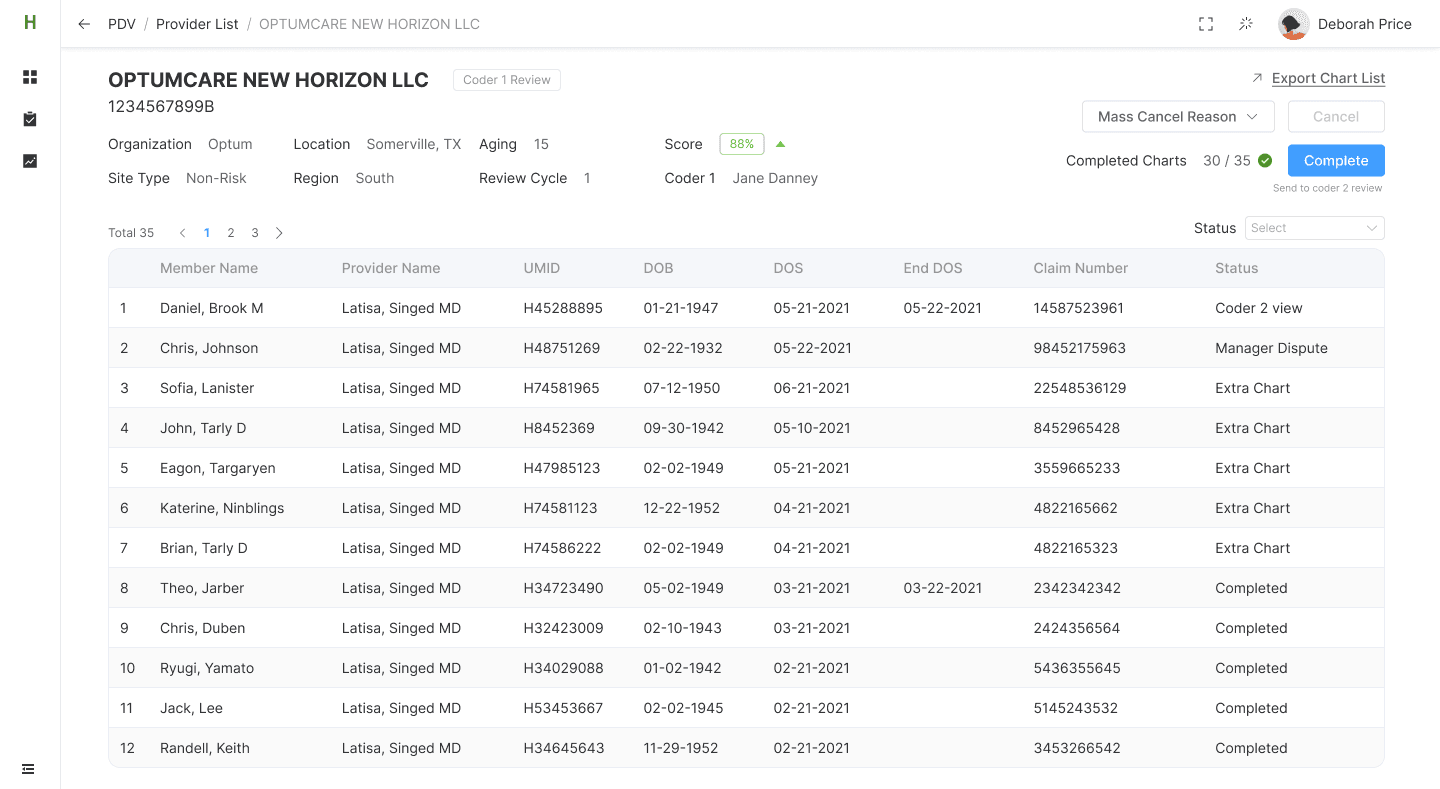
After
Provider / Work item list
Before
Provider / Work item list
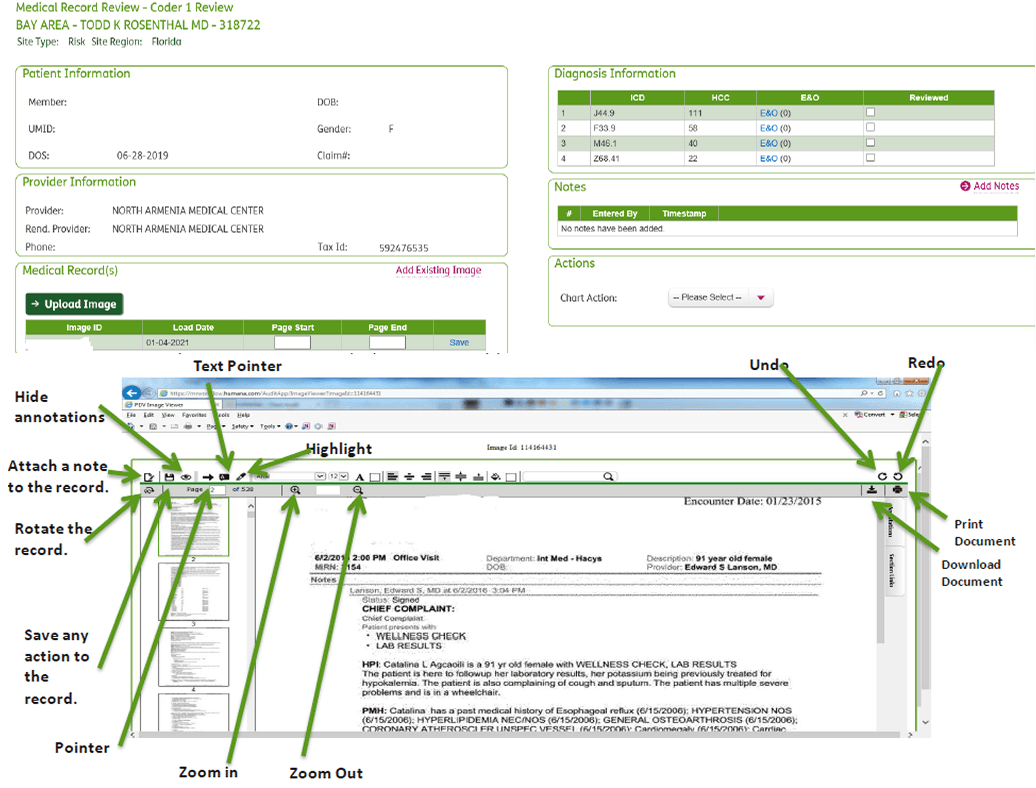
Design Iteration
Medical records review
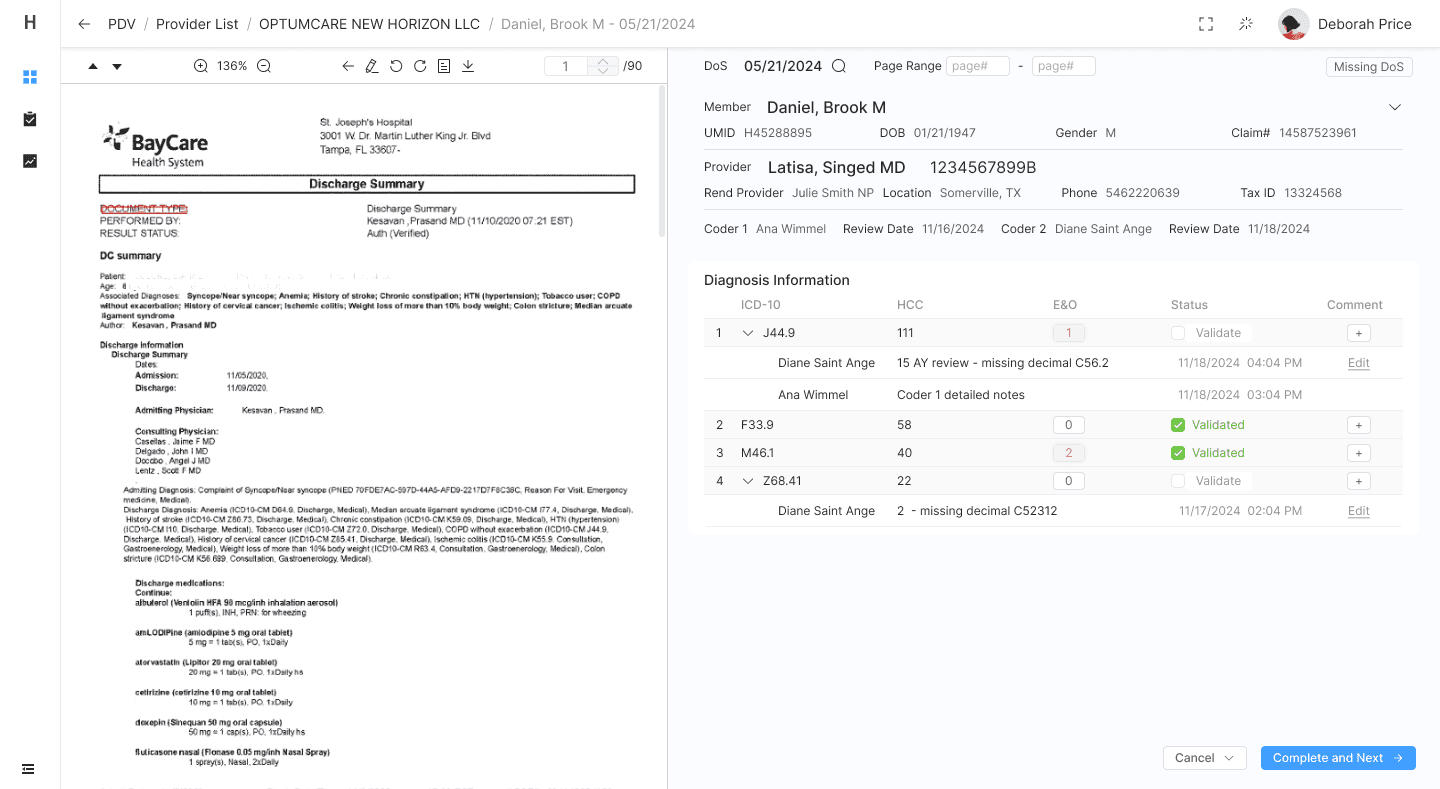
After
Medical records review
Next Steps
Usability Testing & Refinement
Conduct usability testing with a broader group of PDV coders to validate design decisions, uncover edge cases, and optimize interaction patterns based on real-world use.
Design & Develop PDV Scoring and Education Outreach (Phase 2)
Begin design for Phase 2, which will introduce workflows to support coding performance scoring and education outreach. This includes interfaces for tracking coding accuracy, flagging trends, and enabling PDV managers to initiate targeted follow-ups or training with coders based on review insights.
Extend to Additional Programs
Scale the design system and modular workflows to support future use cases across RADV, OIG audits and HEDIS, STARS, and other review programs—ensuring a unified and extensible user experience.
Measure Impact & Establish Feedback Loops
Define key performance indicators (e.g., task completion time, accuracy, user satisfaction) and build feedback mechanisms to support continuous improvement after launch.
Reflection
Similar Interface ≠ Shared Needs
The previous STARs platforms were designed the same way because users were accessing the same database. However, understanding the role-specific context is just as important as system-level consistency.
Navigating Ambiguity Is a Core Part of the Job
Initially, we weren't sure who the audience was, the business or the user needs. I initiated outreach, examined assumptions, and helped the team discover opportunities through structured research. This reminded me that bringing product clarity is an essential aspect of design.
Design Is a Team Sport — Even When You’re the Only Designer
As the sole designer, I had to influence decisions without formal authority. Building trust with engineering, the PO, and business partners early helped me advocate for design effectively. I learned to visualize ideas quickly and bring people into the process, making design a shared asset.
Advovate for UX in a Reactive Environment
I often had to navigate a fast-moving development process where engineering made assumptions or moved ahead before design. Instead of pushing back, I leaned into collaboration—clarifying user needs, translating research into actionable insights, and quickly adjusting designs to fit evolving constraints. This experience taught me how to lead with influence, keep user goals centered in a shifting environment, and build trust across disciplines to guide better outcomes.