eSTAR + proSTAR
Helping providers and Humana associates track Medicare member health conditions with greater accuracy and efficiency.

Note: All patient, provider, and corporate information has been modified to protect the privacy and confidentiality of the individuals and organizations involved.
Background
The STAR platform—used to track Medicare Advantage members’ conditions and risk scores—hadn’t been updated in years. Both Humana associates and healthcare providers were struggling with outdated features that slowed them down, introduced unnecessary work, and didn’t reflect how care teams actually operated.
My Role
I served as the sole product designer on this cross-functional team, leading end-to-end UX efforts from discovery through delivery. I collaborated closely with a product owner and developers from Humana’s internal IT department. My responsibilities included:
Planning and conducting research with both Humana associates and provider-side users
Using research insights to define pain points and opportunity areas
Prototyping and validating design solutions through iterative testing
Aligning design solutions with technical constraints and business priorities
The Team
1 Product Designer (myself)
1 Product Owner
3 Software Engineers (Humana IT)
1 Scrum Master
Business Stakeholders from clinical ops, compliance, and provider relations
Outcomes
Increased coding accuracy and speed for Humana MRA medical coders
Improved clarity and associate satisfaction for Humana eSTAR users
Reduced administrative burden on Humana administrators by enabling provider-side ownership of assignments
Duration
6 months and ongoing (Jan 2025 – Present)
Unified Platform, Split Contexts
eSTAR: Clarity in Complexity
proSTAR: Provider-Led Assignments
Twins with differences
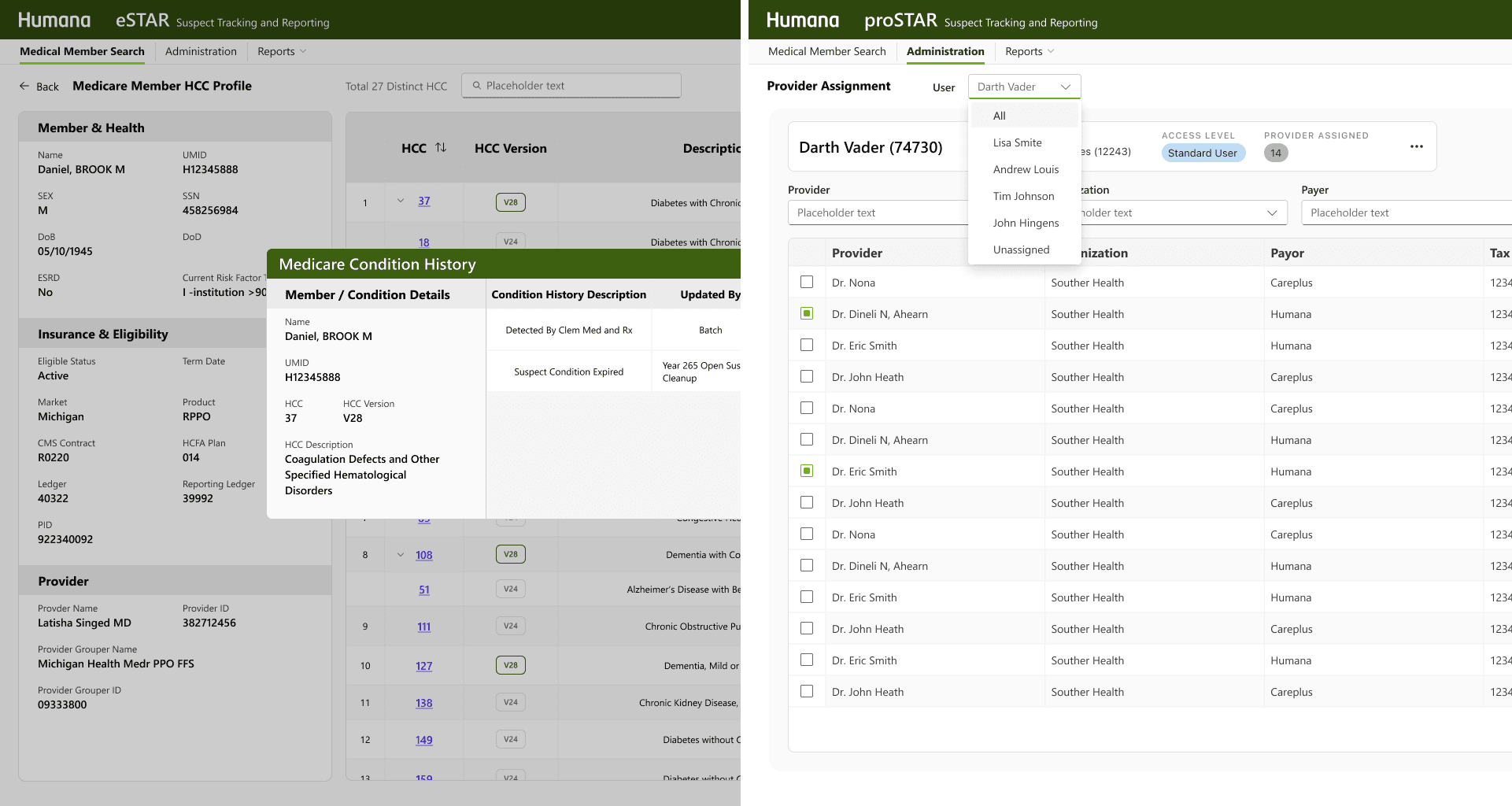
Two platforms, one interface—but very different users

My approach to Discovery
Design Audit + Usage Report + Consulting Business Partners
2 STARS, 1 design
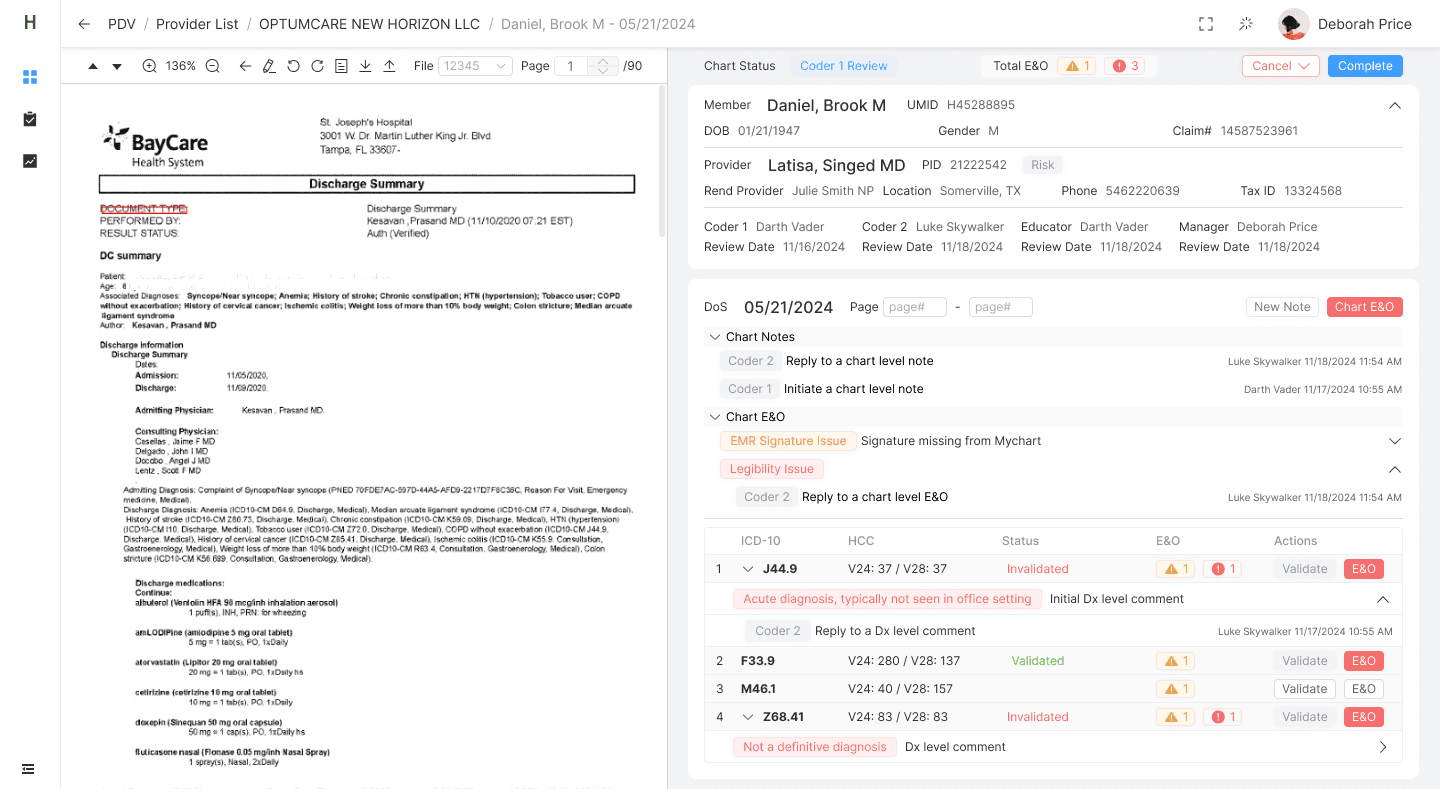
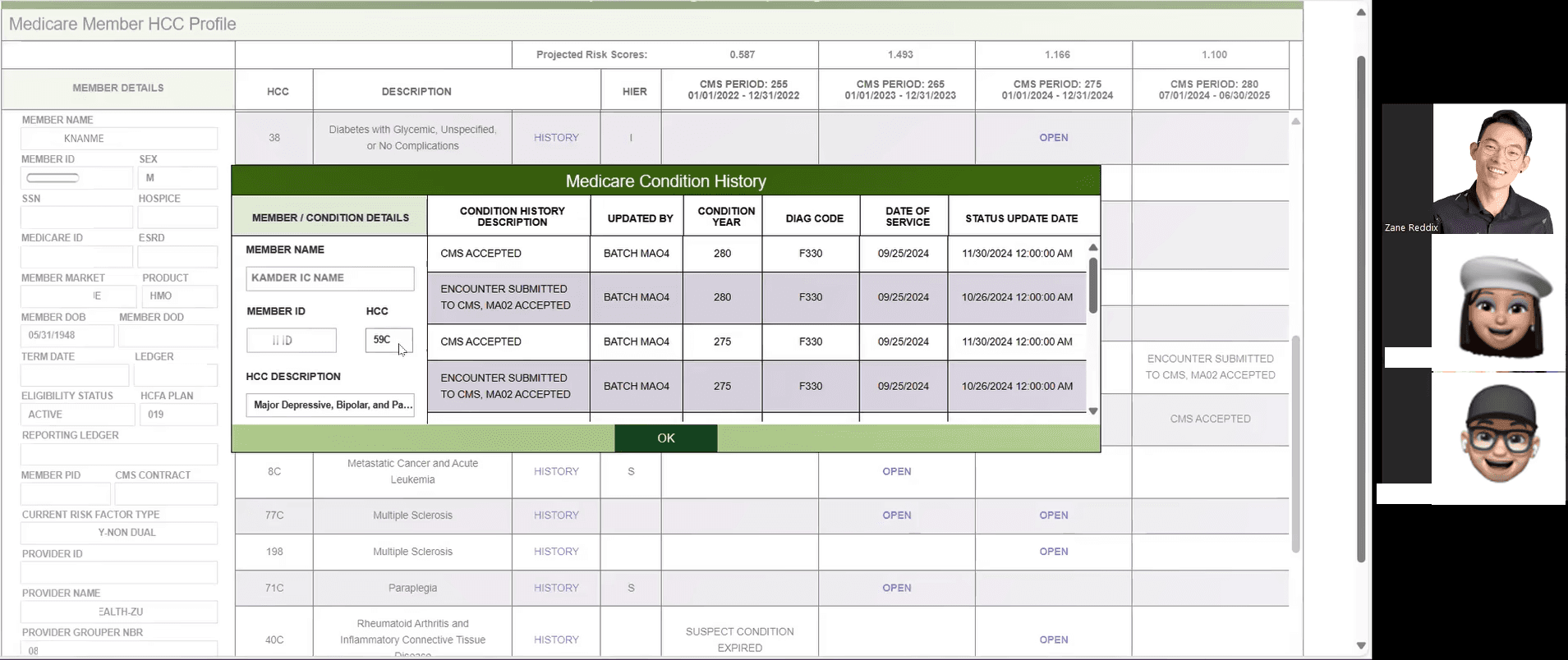
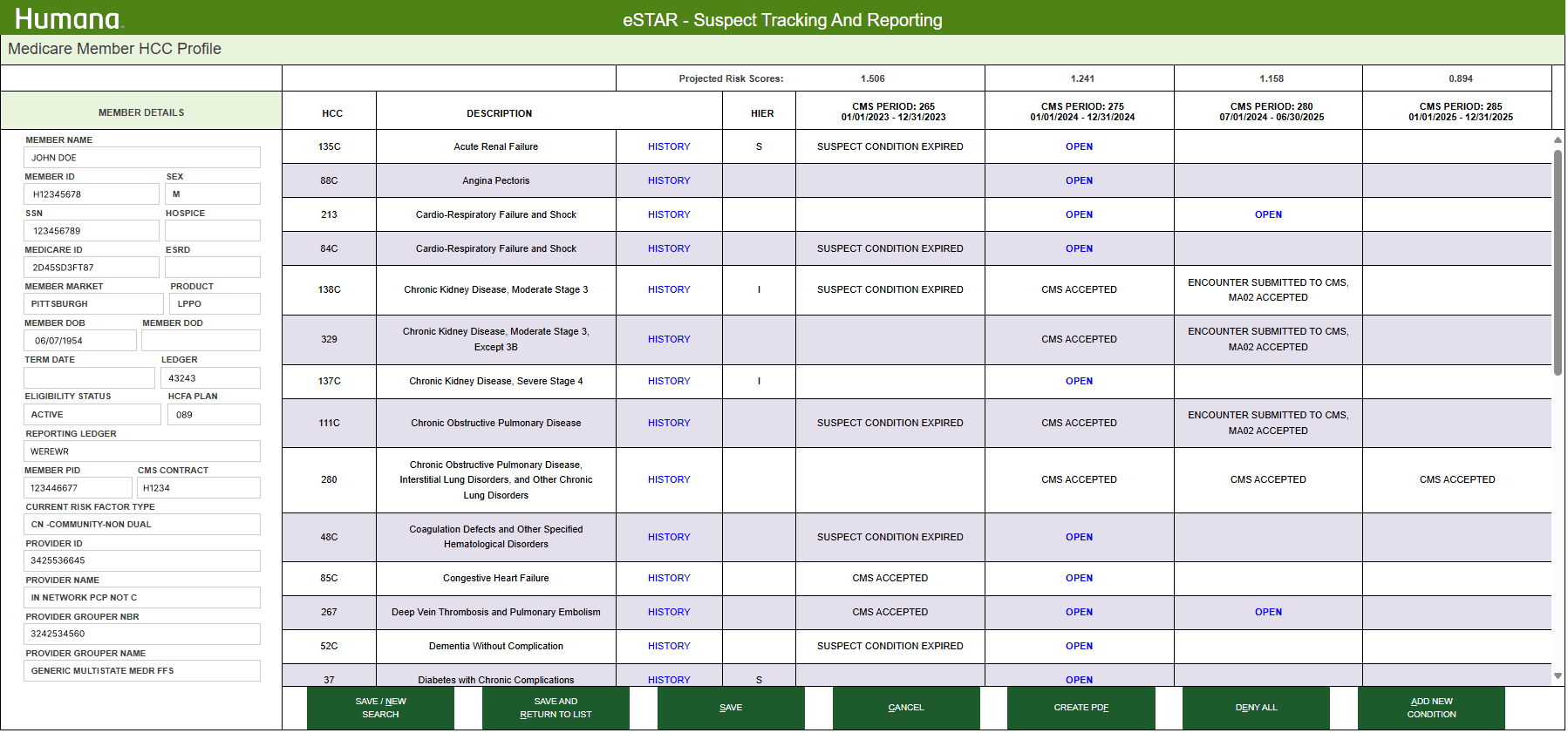
When I first reviewed eSTAR and proSTAR, it was clear they were using the exact same interface and feature set. However, these platforms serve fundamentally different user groups with distinct goals, workflows, and technical capabilities.
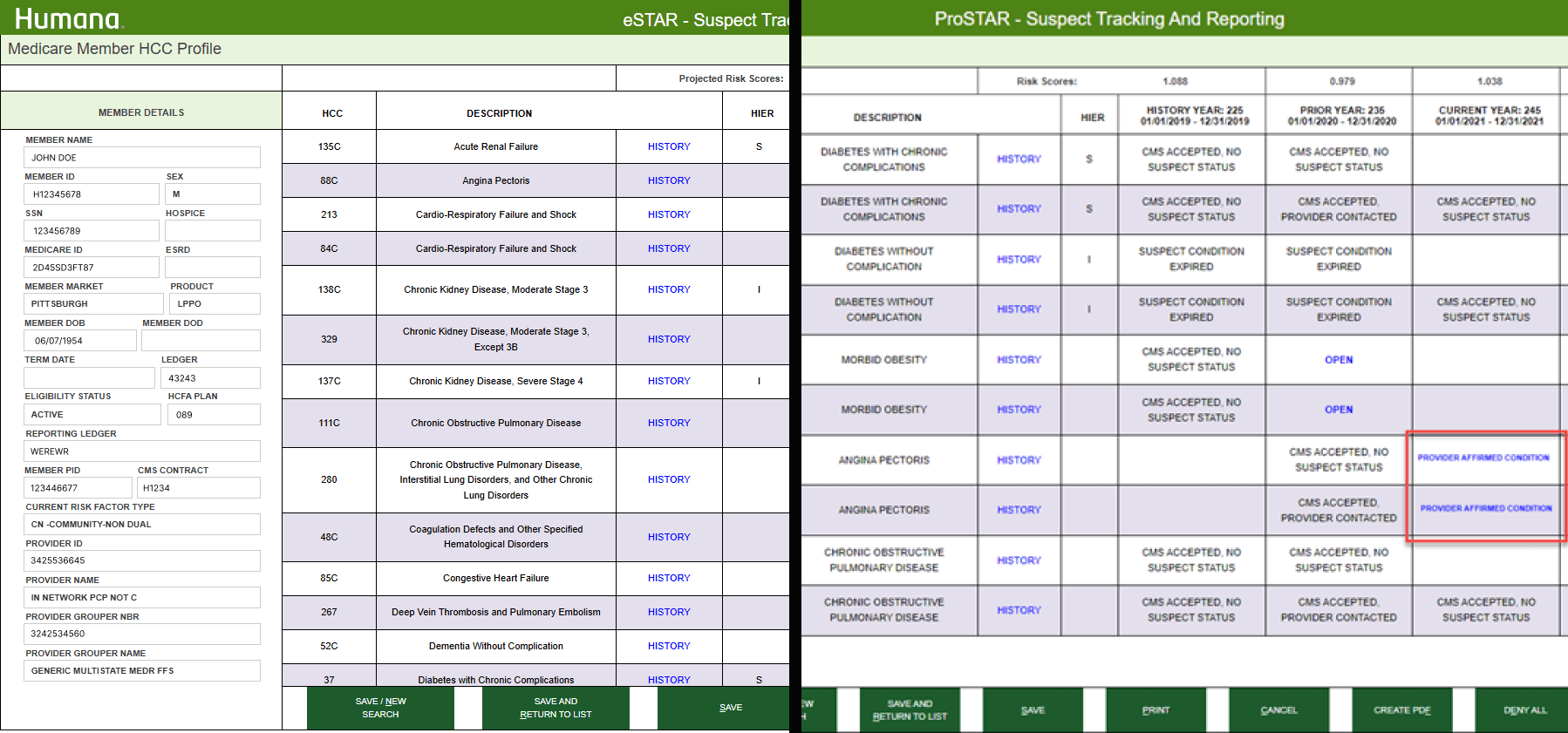
Design Audit
Combining legacy documentation, internal feedback log, and my own evaluations. This helped surface misalignments between user needs and the platform’s UI structure and functionality.
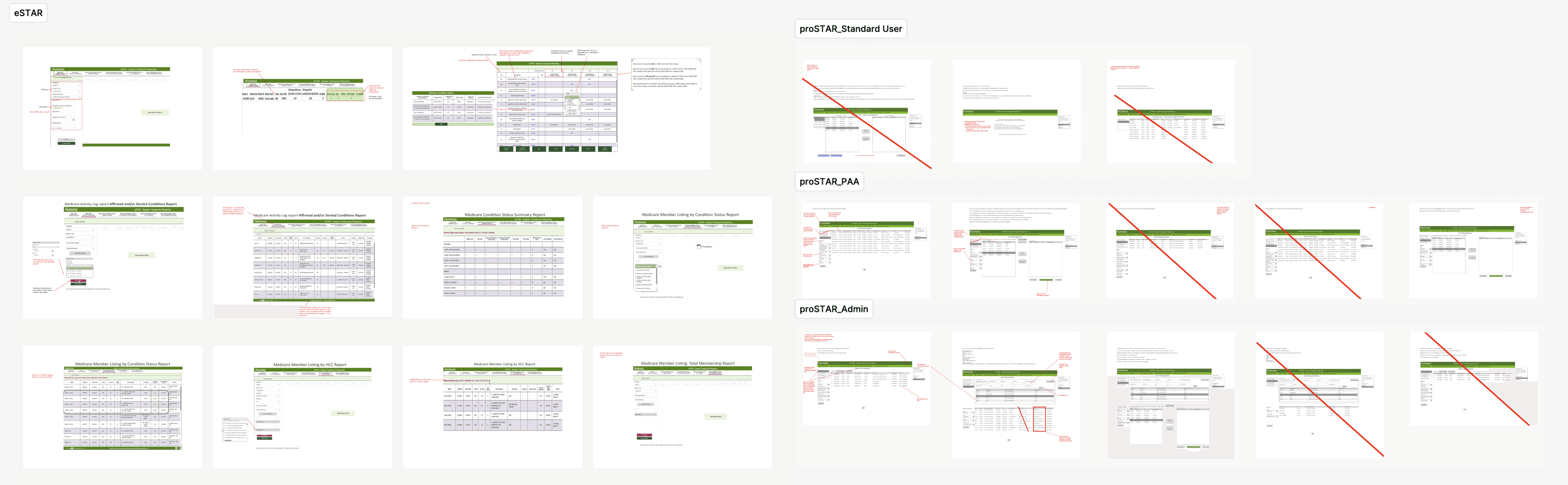
STAR Features
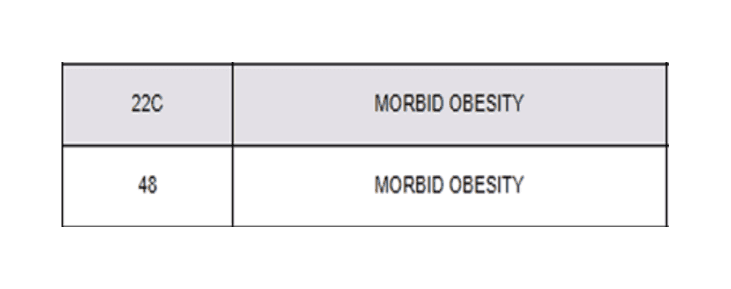
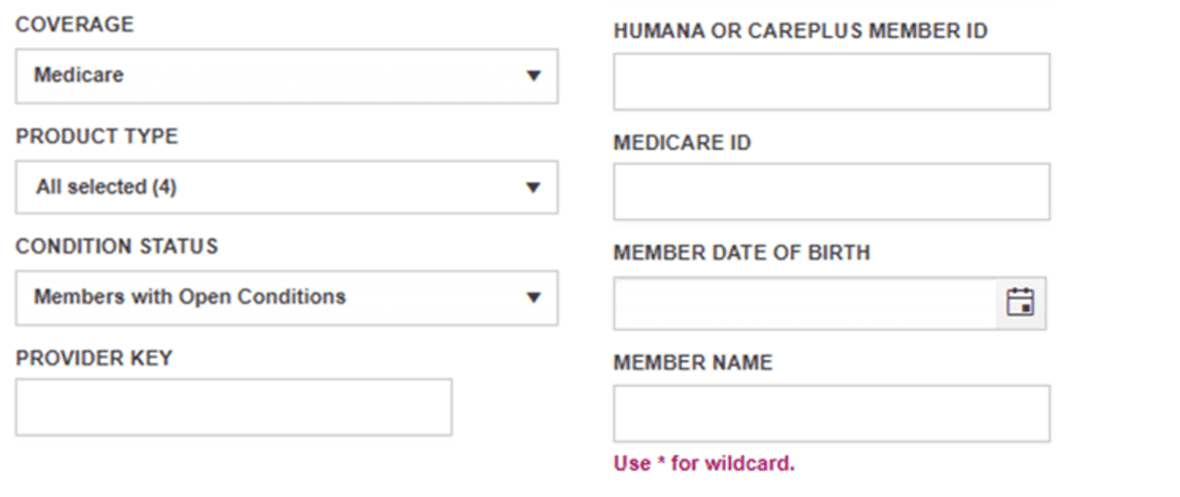
Usage Reports + Interviewing Experts
I interviewed 3 Humana MRA users and 2 provider supporting associates, based on their roles, responsibilities and experience levels through 30-45 mins conversations
Key Findings
From the interviews and usage reports. While the core features technically supported provider and associate workflows The product failed to highlight the most relevant information for each role. Users had to hunt through noise to find what mattered most, slowing them down and leading to frequent errors.
eSTAR
Users:
Primary: Humana MRA Coders
Coding team managers
Quality and audit associates
Provider contracting/ support staff
Risk adjustment leadership
Key Goals:
View and verify CMS HCC acceptance status
Research provider related errors
Confirm MA member details
Monitor provider performance over time
Gaps:
Inconsistent Usage Across Similar Roles
Underutilized Reporting Tools
Misleading Functionalities
One-Size-Fits-All Design
proSTAR
Users:
Healthcare providers, especially physicians who manage Medicare patients.
Clinical support staff or coders involved in risk adjustment documentation and coding eg.CDI (Clinical Documentation Integrity) teams
Key Goals:
Confirm or deny suspected conditions in real-time
View CMS HCC acceptance status
Access historical, current, and future data organized by CMS periods.
Evaluate provider/ office site performance
Gaps:
Highly Variable Use Across Offices
Delayed Assignment Changes
Underutilized Reporting Tools
One-Size-Fits-All Design
eSTAR:
Rebuild the Connections
After years of no UX involvement, the STAR platform had drifted out of alignment with user needs. With key team members and partners transitioning out, our first step was to rebuild those relationships—start with listening.

Interviewing MRA Coders
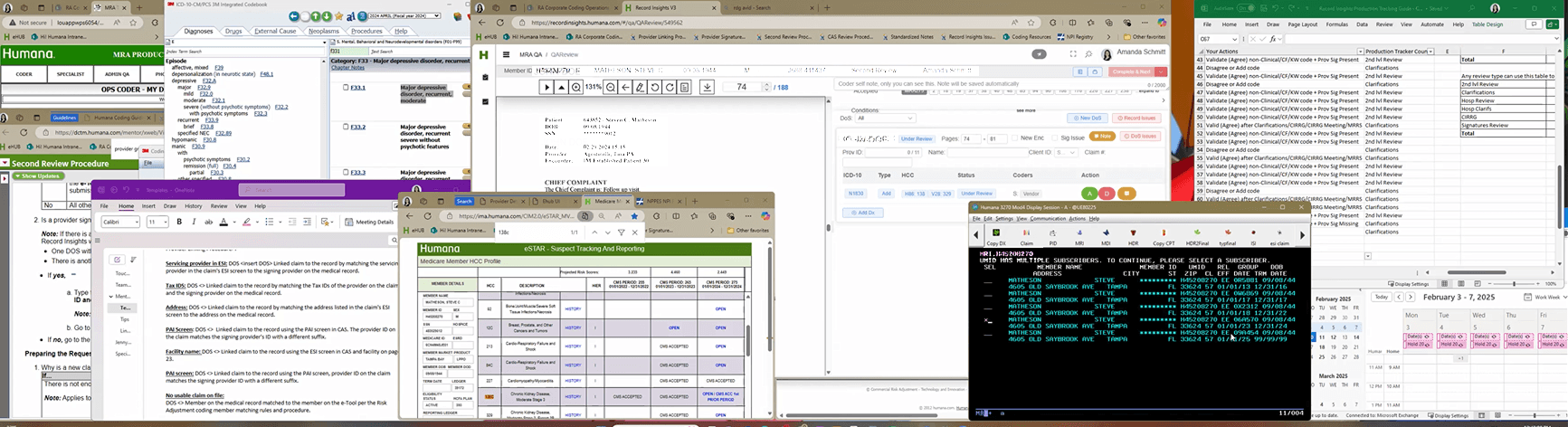
Identified as our primary user group, I followed up with 5 more eSTAR MRA coders by having 30-minute ride-along obervasions and 30-minute interviews to dive deeper into their needs, pain points, and context.
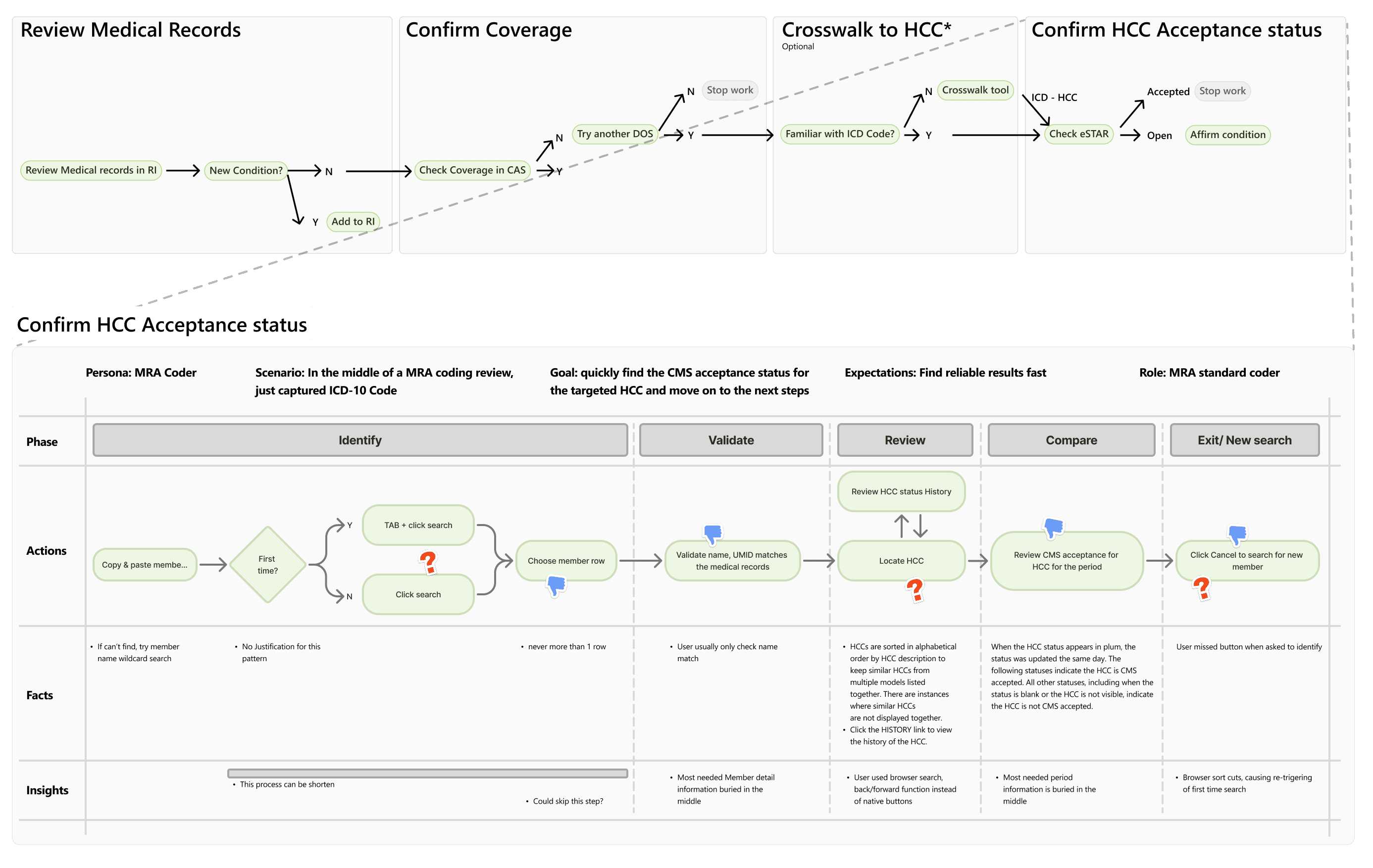
Visualize the Process
I created a user journey map based on the user interviews. Presented it to the users and took in their feedback
The Findings
Based on the interviews, I idenfied the following problems
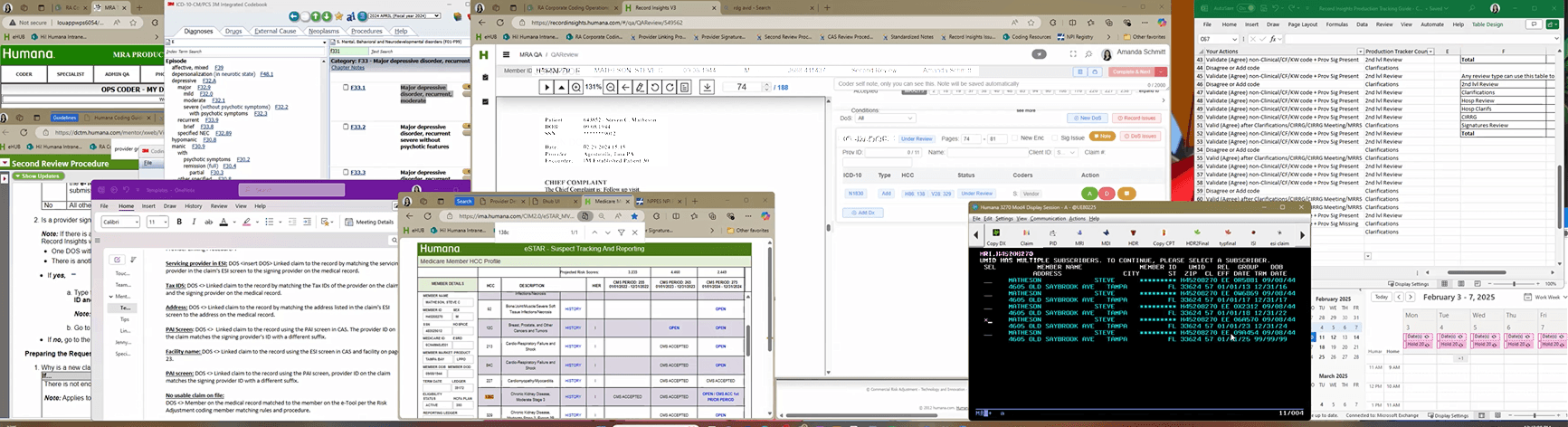
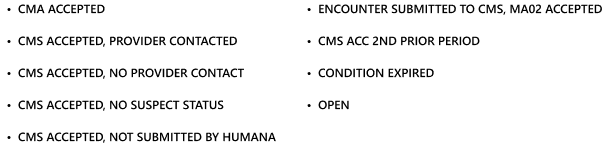
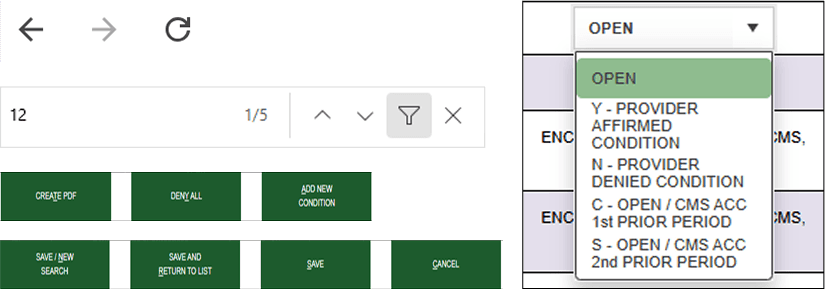
How might we…
Present the most relavant information in the shortest time possible?
My hypothesis
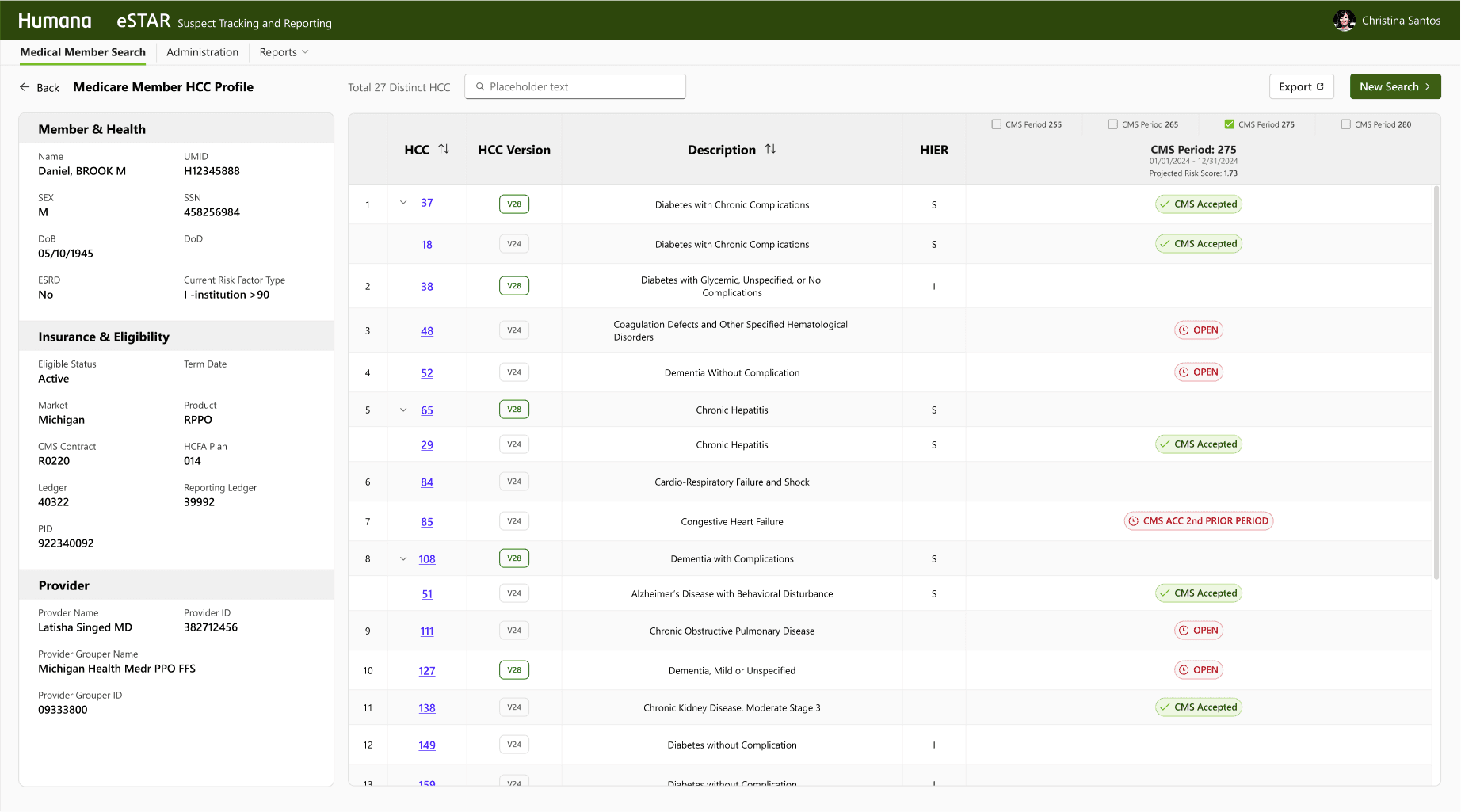
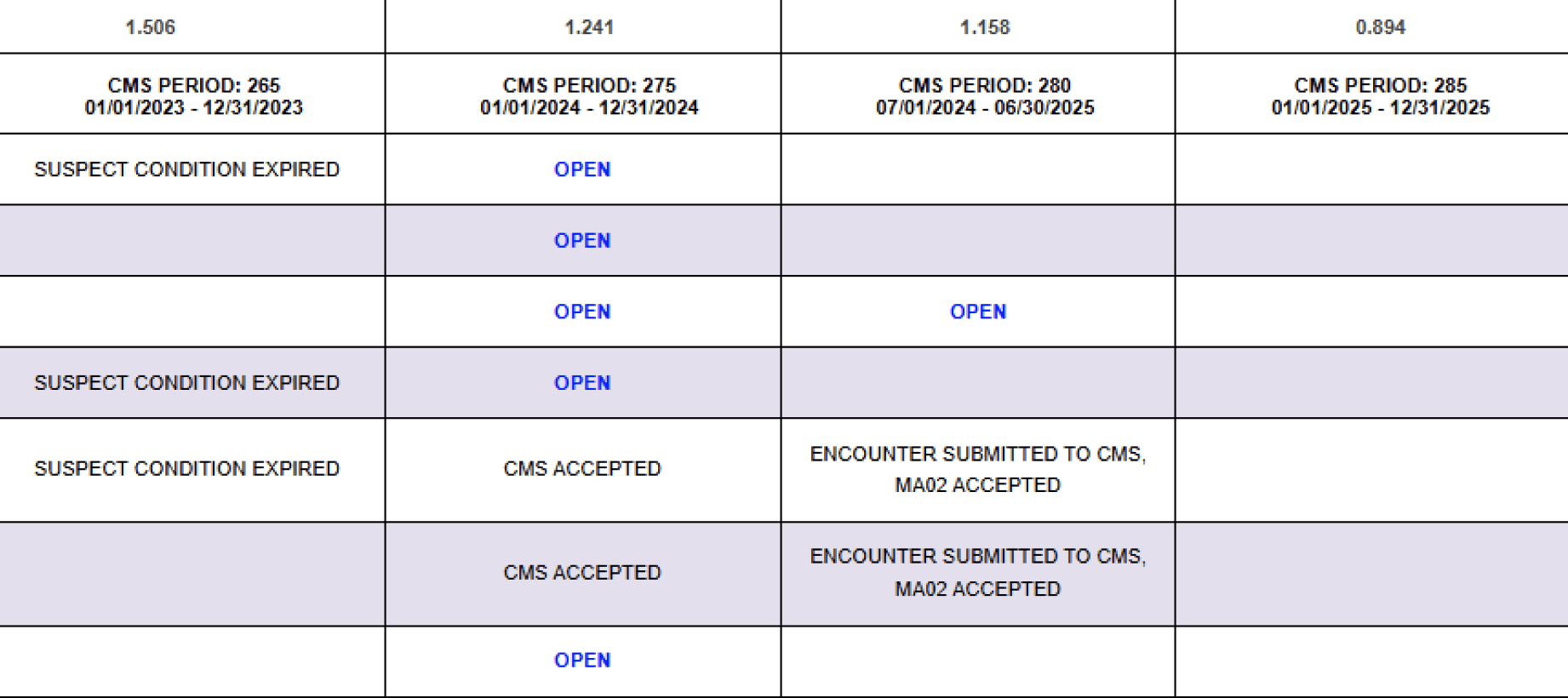
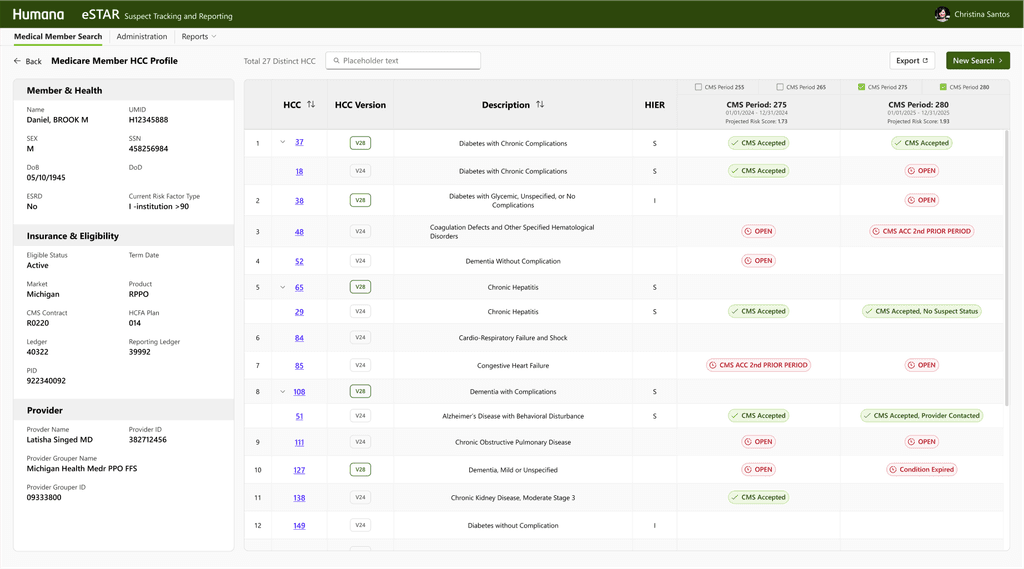
If MRA coders can focus on the single CMS period with distinguished status , they can quickly identify the HCC's acceptance status so that they can move on to the next tasks.
Single CMS period
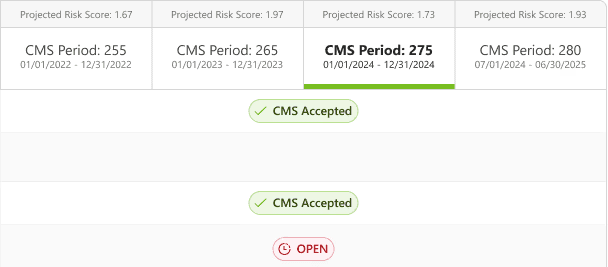
Visual Studies of CMS Acceptance Status
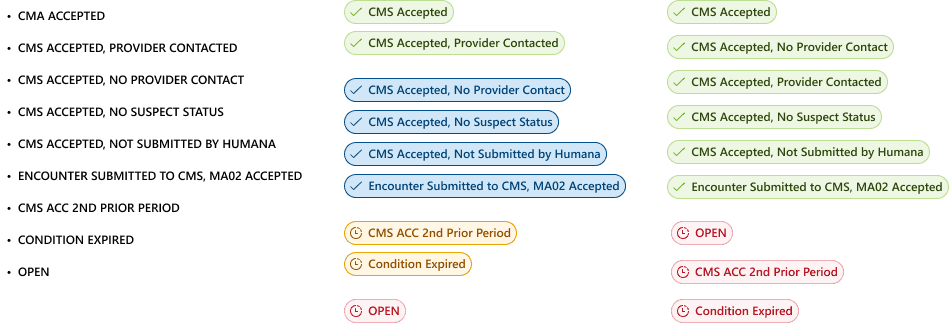
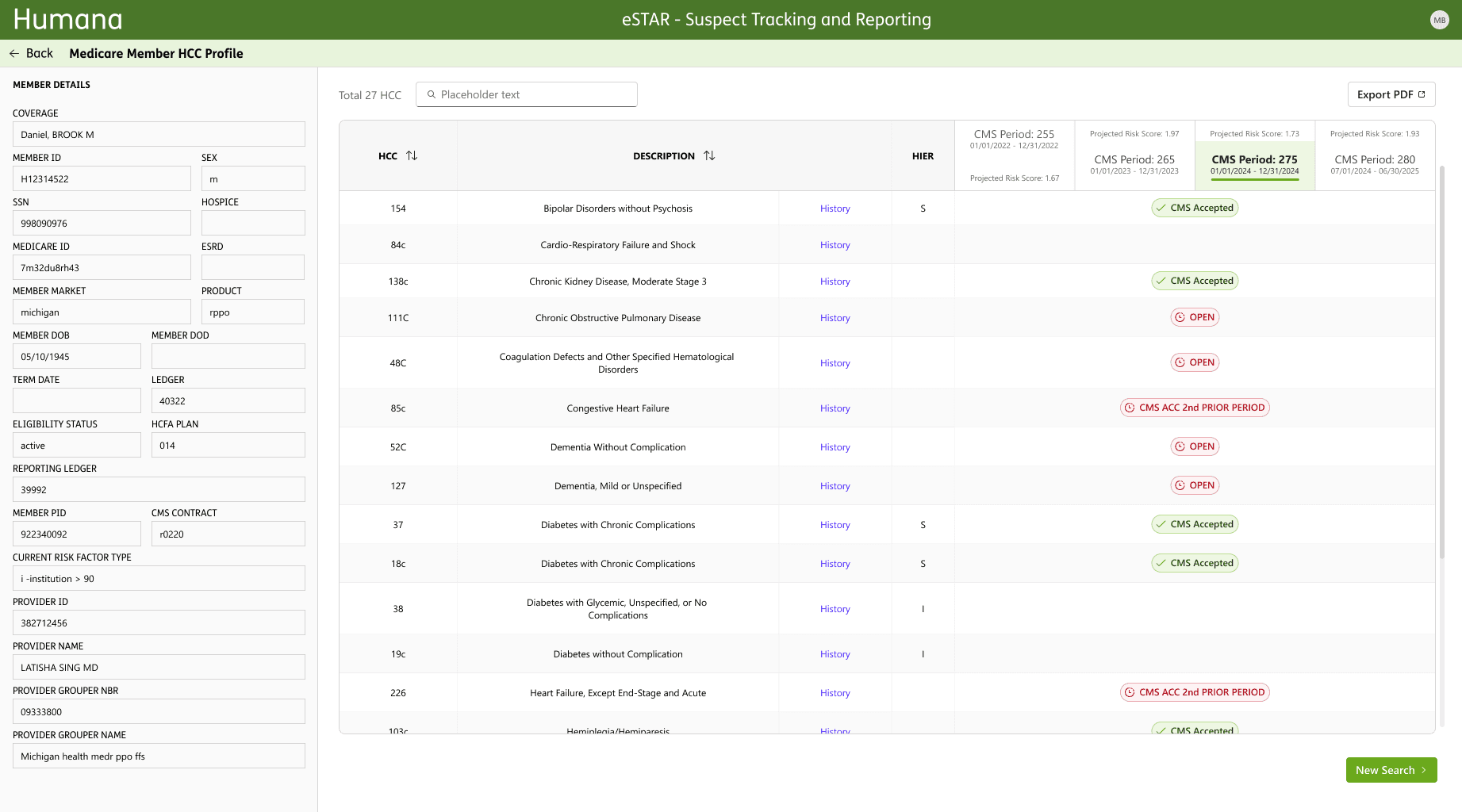
Intergating User feedback into Design
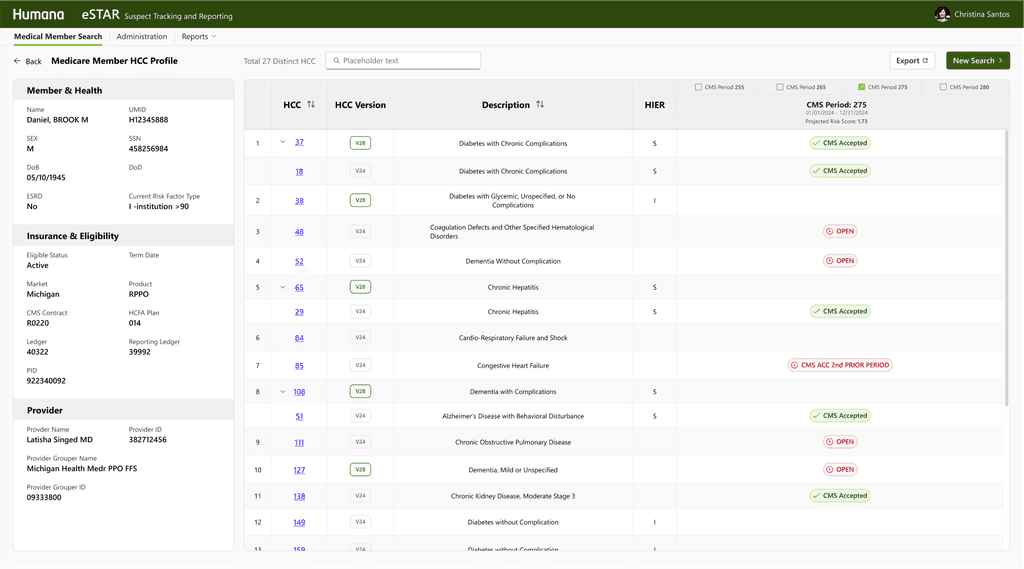
- Default sorting by HCC, with sorting by description available - 2 color-coded condition acceptance statuses - Reorganized and removed misleading CTAs - Dedicated search bar
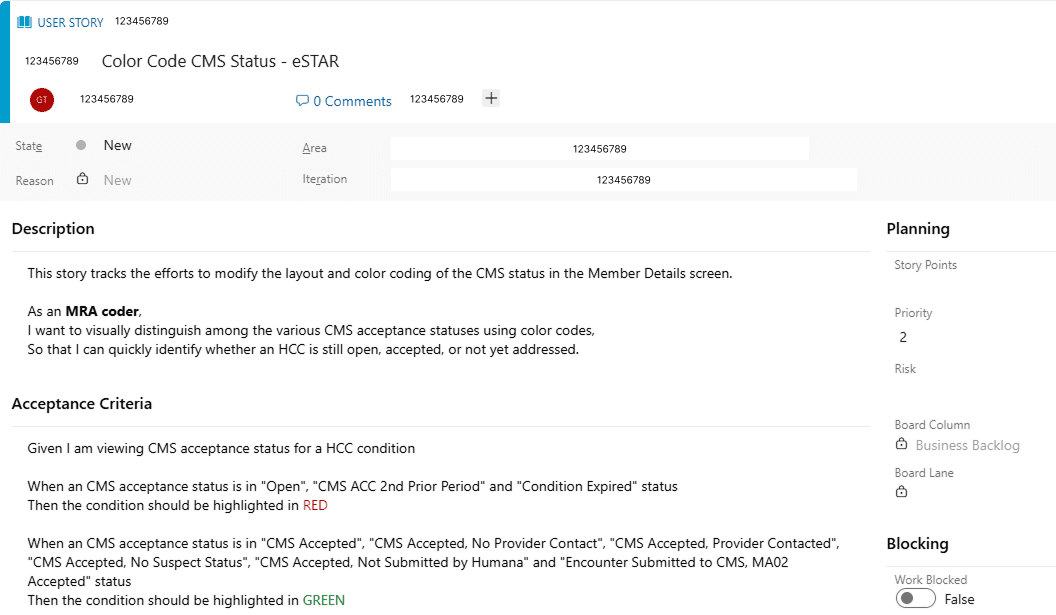
Help Write User Stories
I worked with the PO and dev team to write these changes into user stories
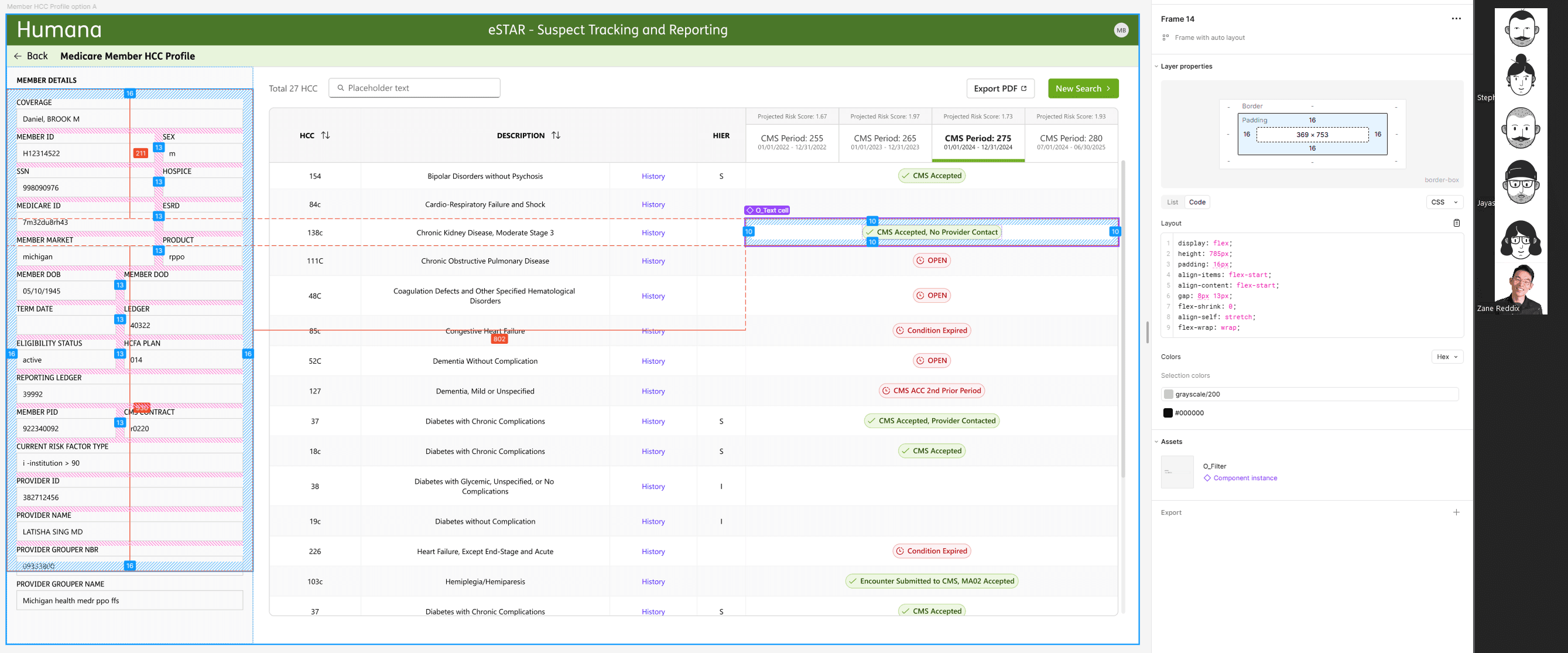
Feasibility Review
Working with development team to review the design and feasibility
Interviewing Managers and QA Associates
I followed up with our another 3 eSTAR users whose workflows differ from primary MRA coders by setting up 30-45 minute interviews to dive deeper into their workflows and discovered the following pain points
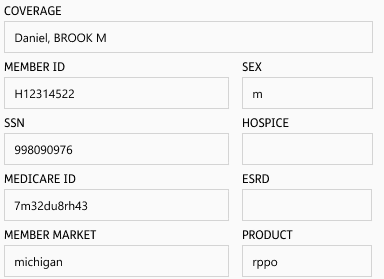
Improving Member Info Layout
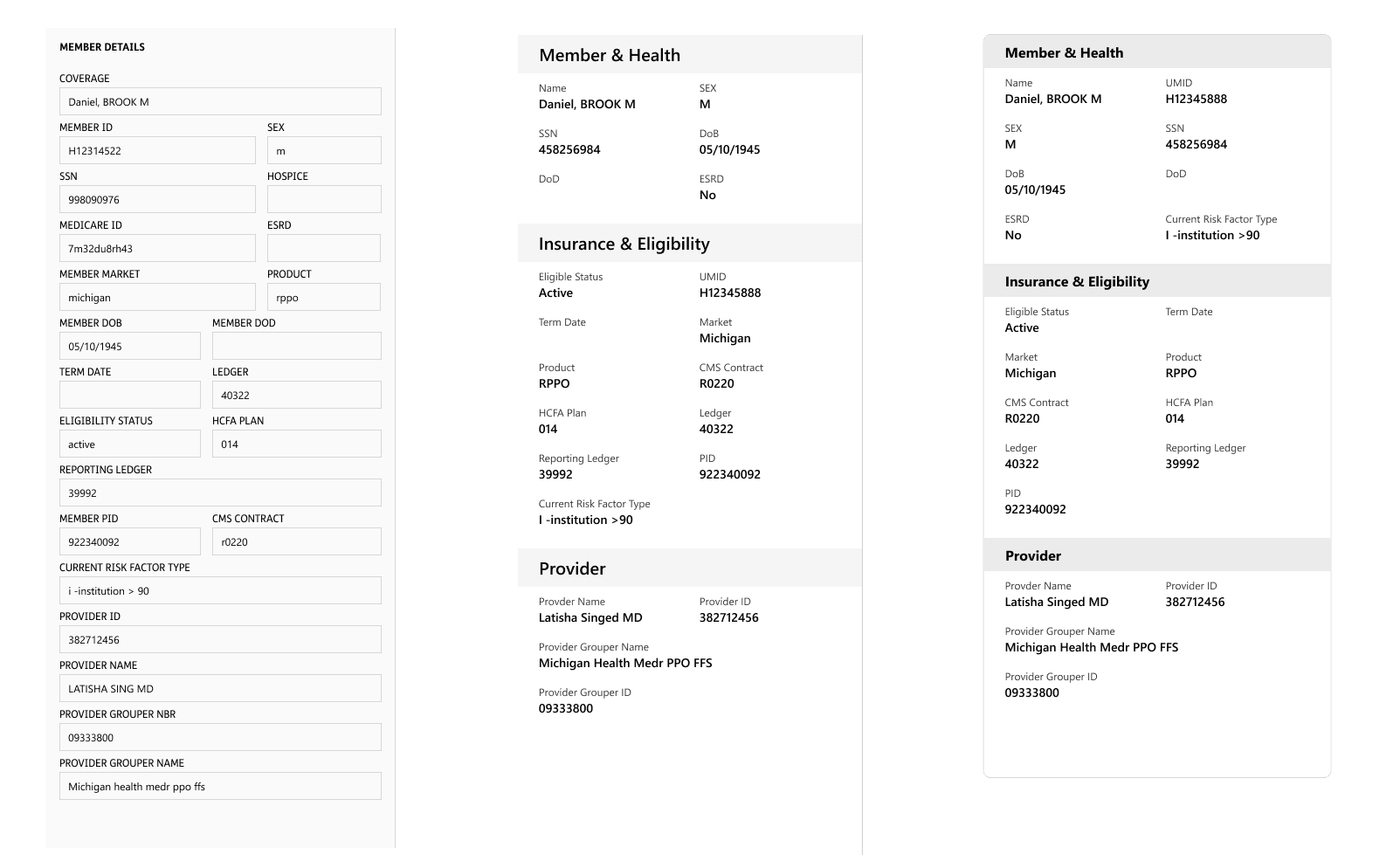
To address the confusion around member details, I asked users to group information cards by importance. Their input led to a new layout that split data into three logical groups, significantly improving scanability and efficiency.
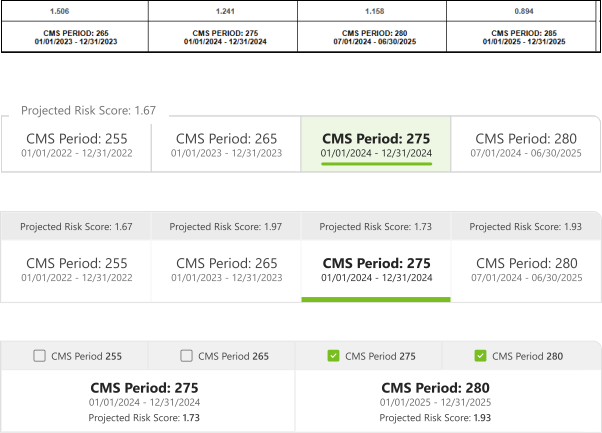
Visual Studies of CMS Periods
Based on the managers' feeback. I conducted visual studies to explore options to allow both concentrating on one period and compare across different periods
Testing Assumptions + Iterate Design Solutions
I showed the design to both the user groups and collected more feedback
Updating design based on user feedback
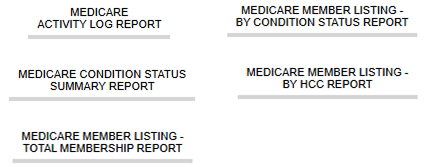
- Optionally make Comparation across CMS periods - HCC Version Clarity: Users preferred a labeled column instead of codes - CTA Placement: Users expected actions at the top of the screen, consistent with other platforms - Compacted reports into one drop down menu to better align with user needs
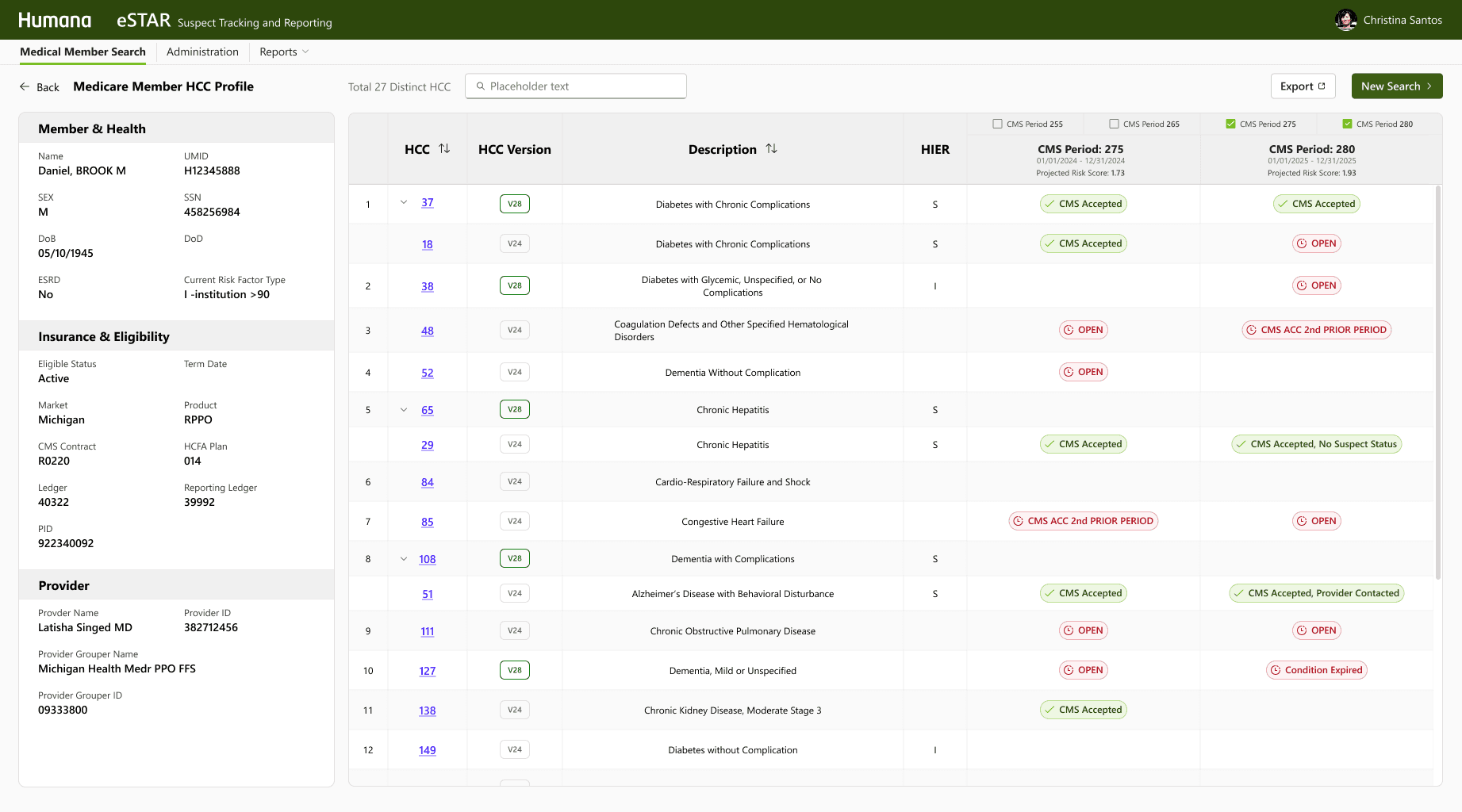
Refined Designs: Before & After
Here are examples of major interface improvements
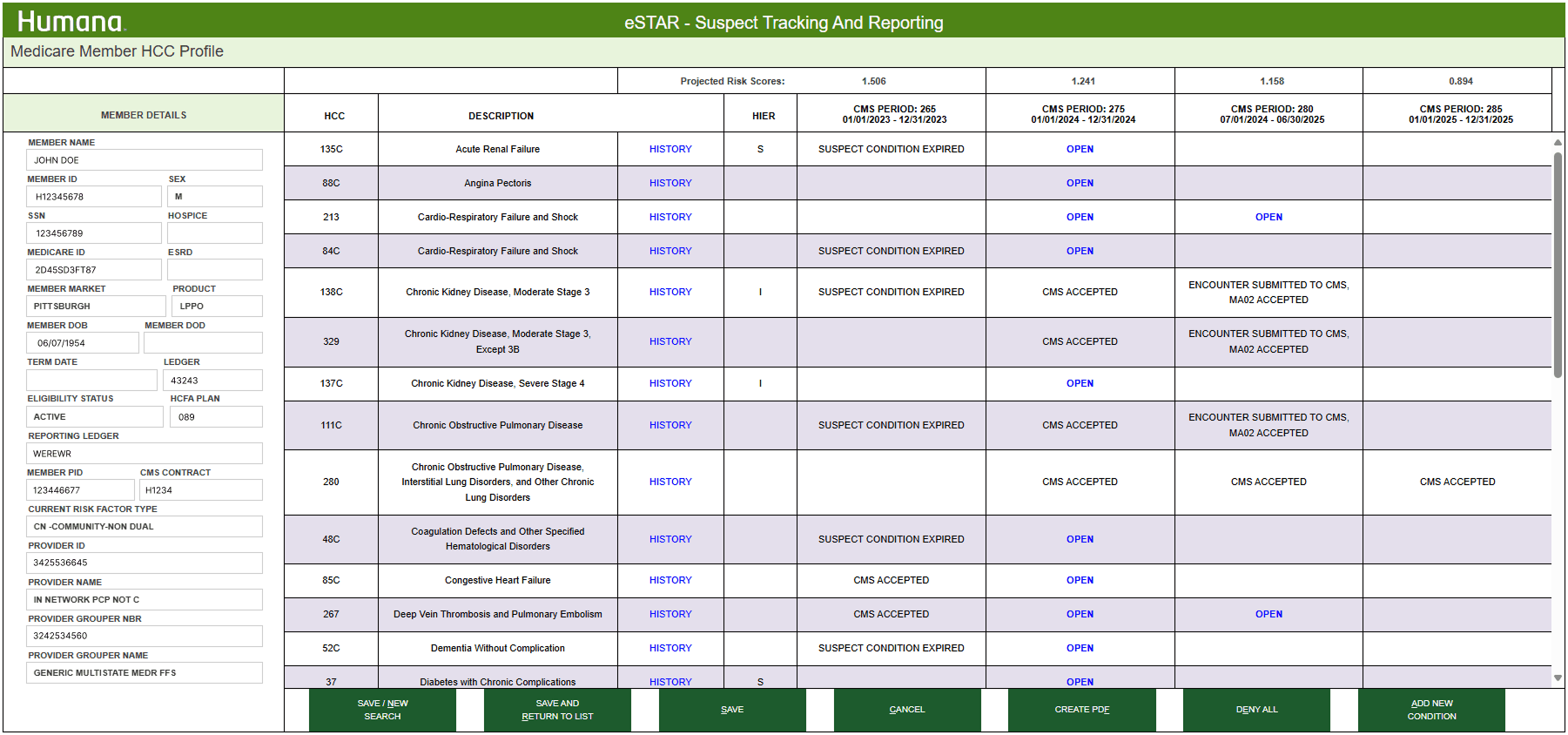
Before
eSTAR member HCC profile
After
eSTAR member HCC profile
proSTAR:
Phased delivery
While proSTAR faces many challenges, the team took a strategic approach to tackle the most urgent task first

proSTAR: Reach Providers
Based on the usage reports. I mapped out the stakeholder ecosystem and worked with our business partners to initiate outreach. We interviewed clinical staff from provider organizations of various sizes
Key Findings
Cross referencing RI
Record Insights ptovider assignment screen
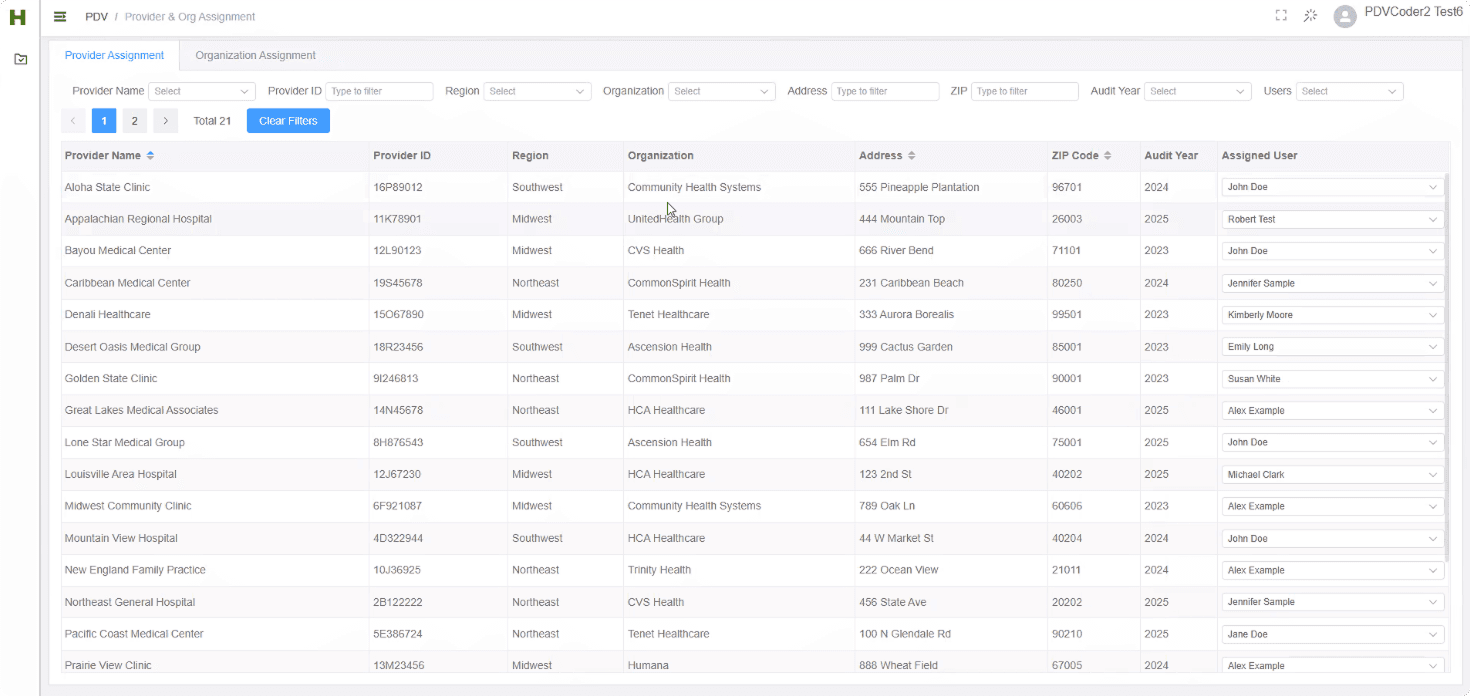
Before
proSTAR provider assignment
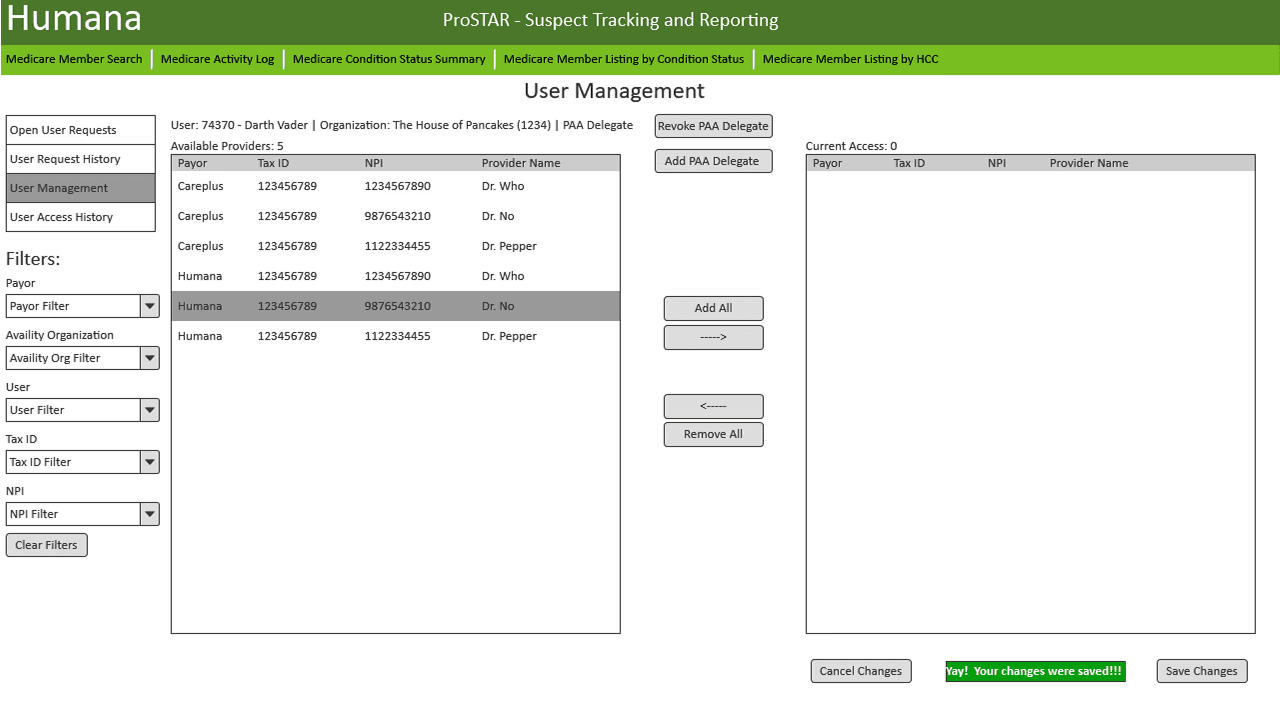
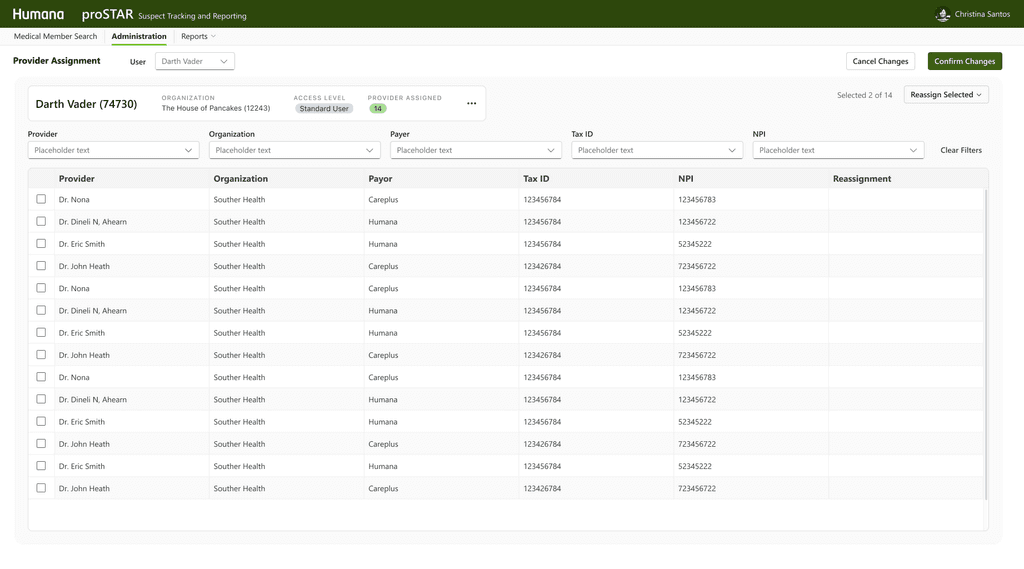
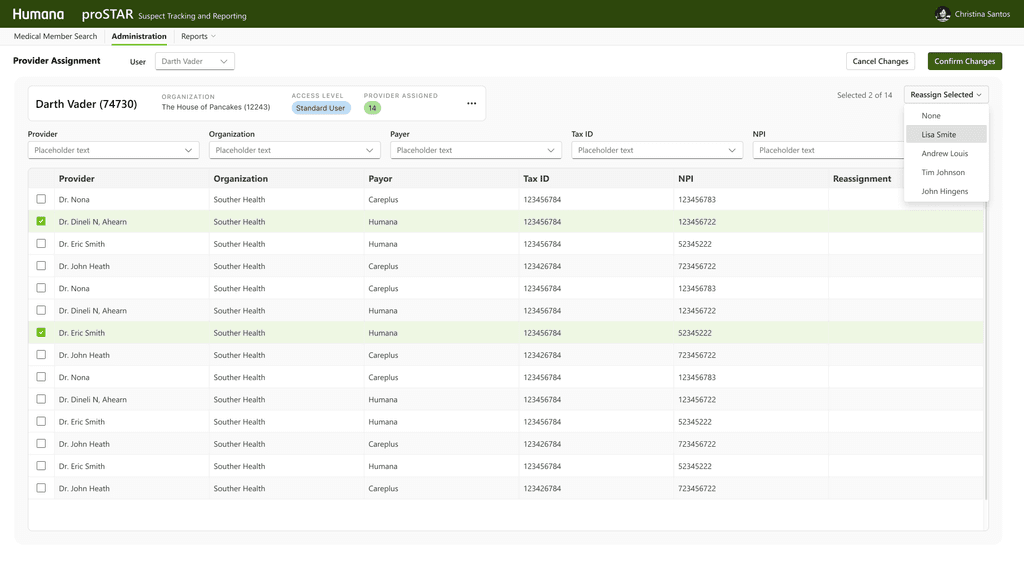
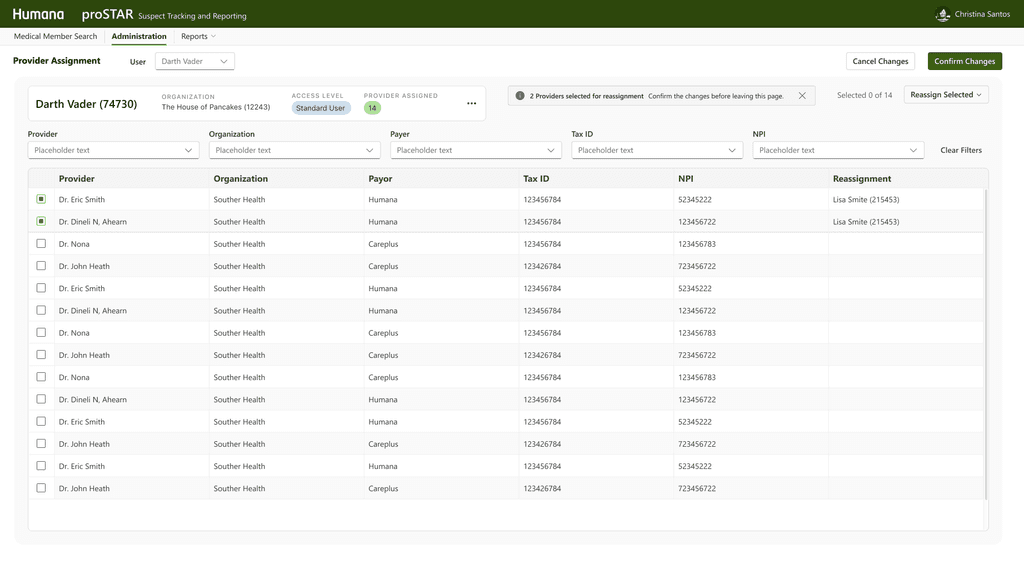
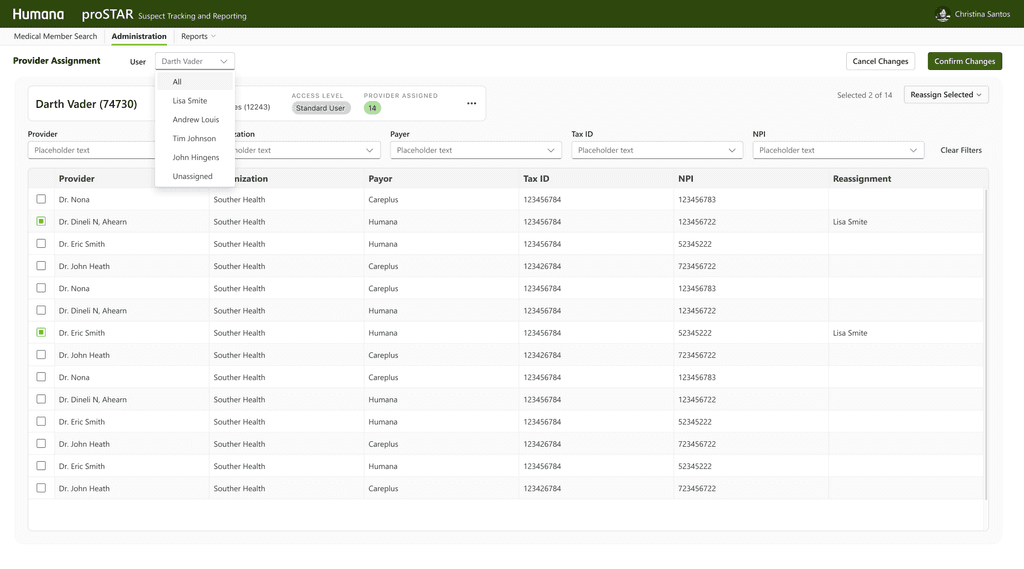
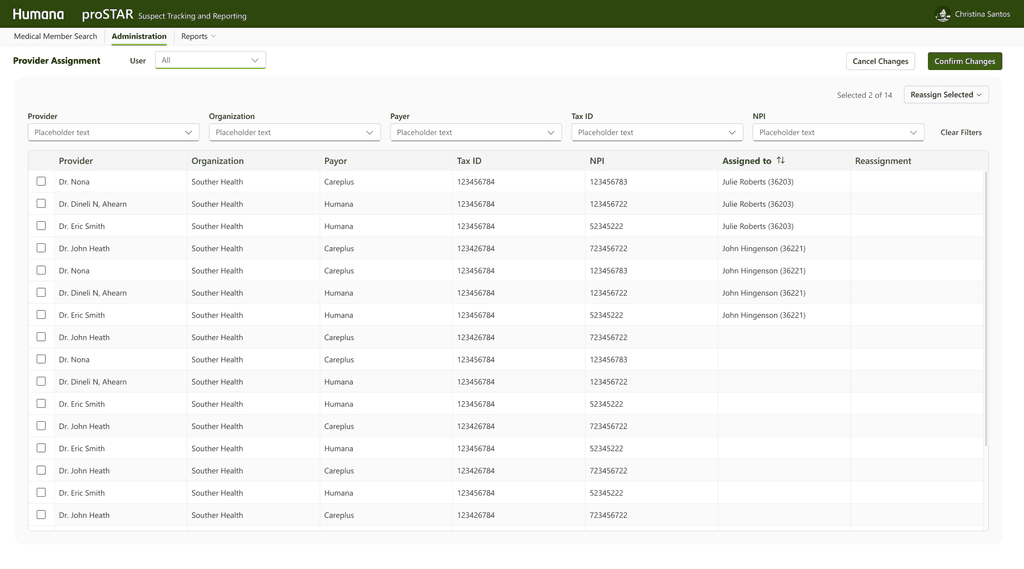
After
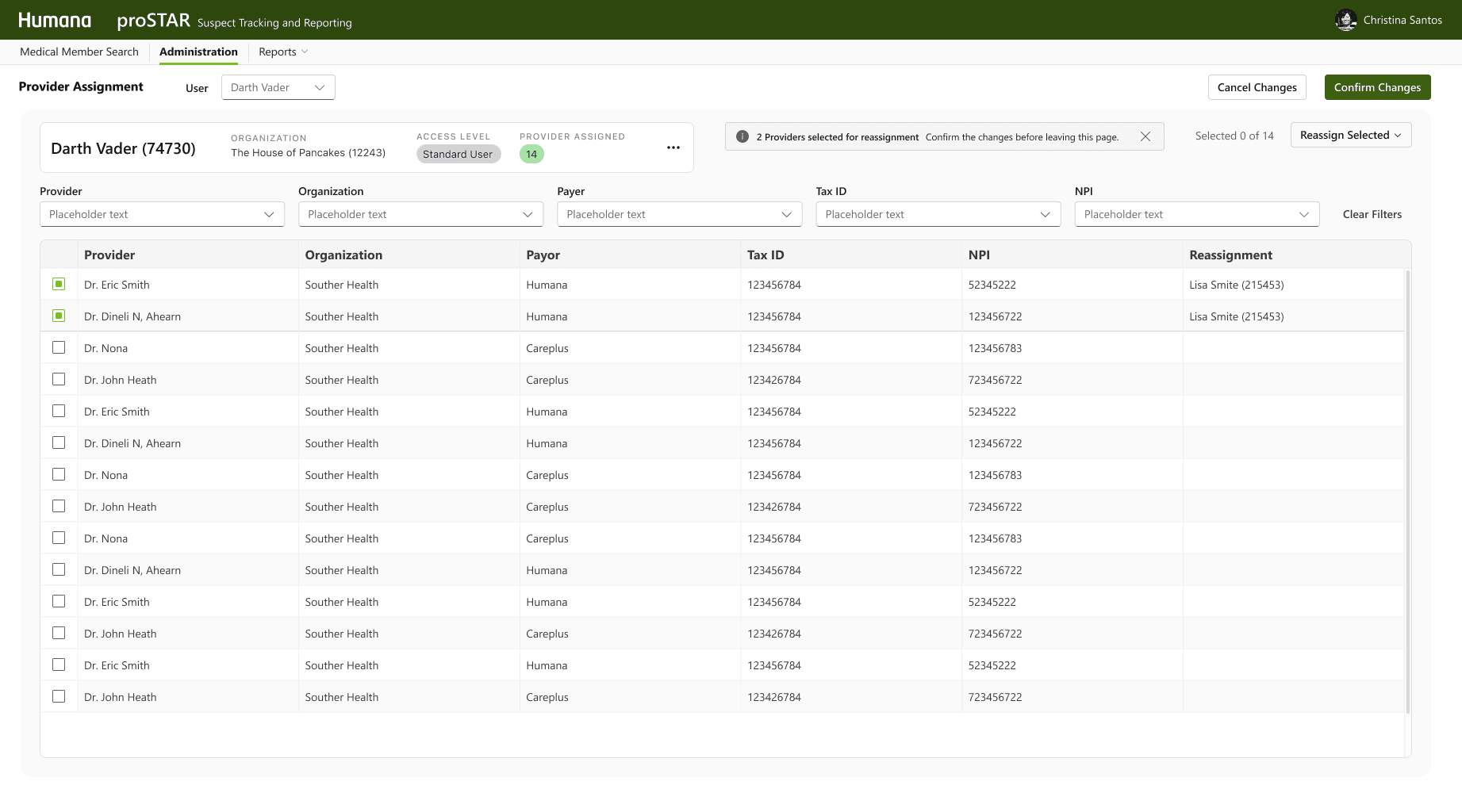
proSTAR provider assignment
Current + Future Metrics
Remember the Twins?

What the Users Said
" It makes a big difference. You can 'scan' the document and pick out what you need so it makes it easier to use"
-Humana provider contracting executive
" It looks so good, the information is exactly what I need to see. Thank you for making our jobs easier"
-Humana risk adjustment coder
" This design will really save us a many spreedsheets, emails and days. "
-Provider CDI nurse
Next Steps
Continue Provider Collaboration for proSTAR
Ongoing research and co-design sessions with providers to refine the workflow and user experience for the proSTAR initiative.
Evaluate Technology Stack Transition
The development team is assessing a potential shift from .NET Core to Angular to better align with the broader technical ecosystem and improve long-term maintainability.
Validation, Testing and Improve for More Use Cases
Plan and execute usability testing with users from both Humana and provider organizations to validate design decisions, uncover edge cases, and ensure the solution meets diverse stakeholder needs.
Reflection
Similar Interface ≠ Shared Needs
The previous STARs platforms were designed the same way because users were accessing the same database. However, understanding the role-specific context is just as important as system-level consistency.
Navigating Ambiguity Is a Core Part of the Job
Initially, we weren't sure who the audience was, the business or the user needs. I initiated outreach, examined assumptions, and helped the team discover opportunities through structured research. This reminded me that bringing product clarity is an essential aspect of design.
Design Is a Team Sport — Even When You’re the Only Designer
As the sole designer, I had to influence decisions without formal authority. Building trust with engineering, the PO, and business partners early helped me advocate for design effectively. I learned to visualize ideas quickly and bring people into the process, making design a shared asset.